New Features
Revised structure of the shortcut bar
The shortcut bar has been revised in collaboration with UX/UI and is now almost entirely structured alphabetically. This makes it easier for new and existing customers to find their way around, as the alphabetical sorting is intuitive to use.
The previous “Cockpits” group has been removed from the shortcut bar and integrated as a toolbar at the top. This means that the cockpits can be accessed with just one click, and the corresponding buttons remain visible for the relevant groups at all times.
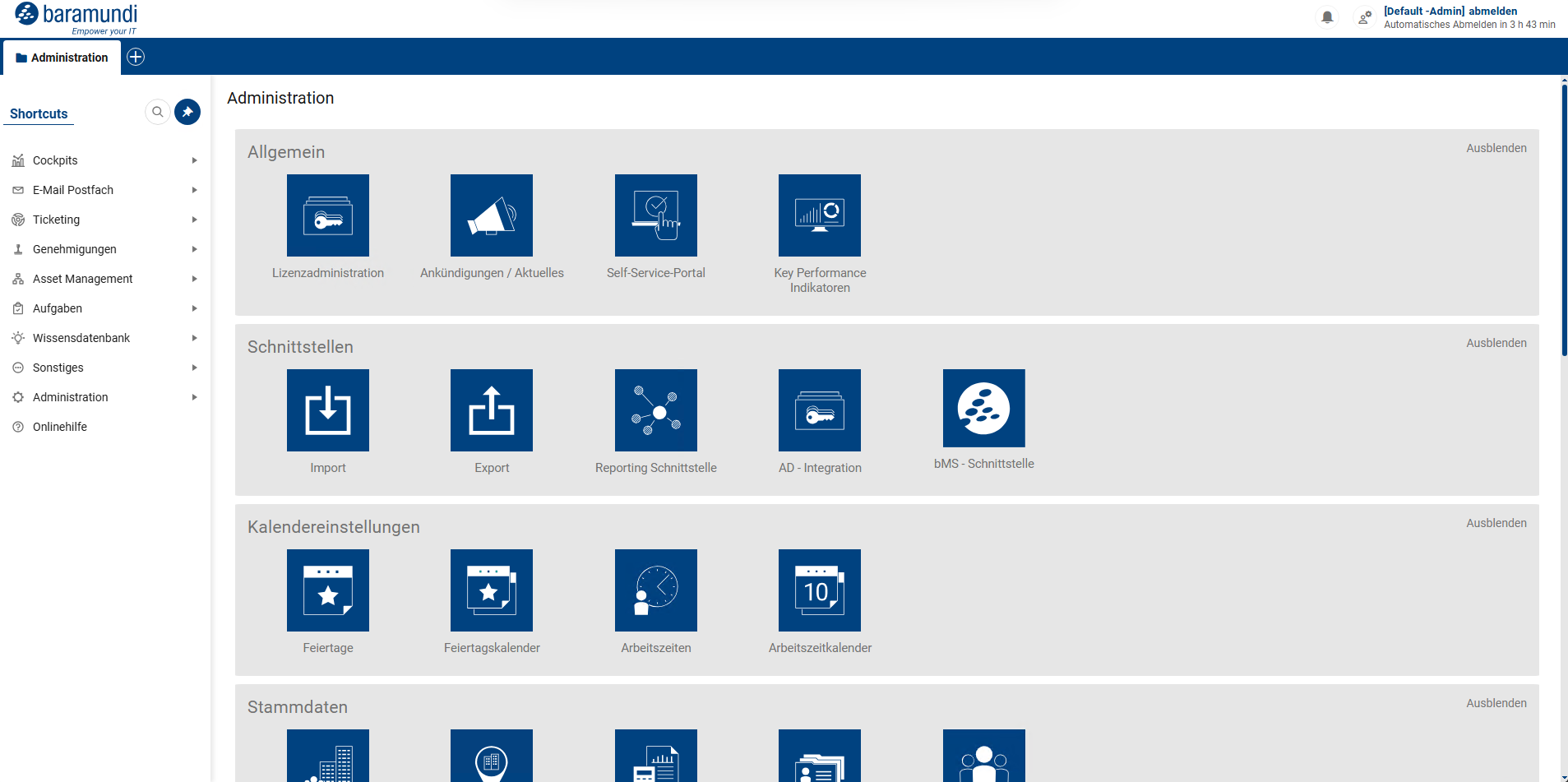
Shortcut bar up to 2.5.4
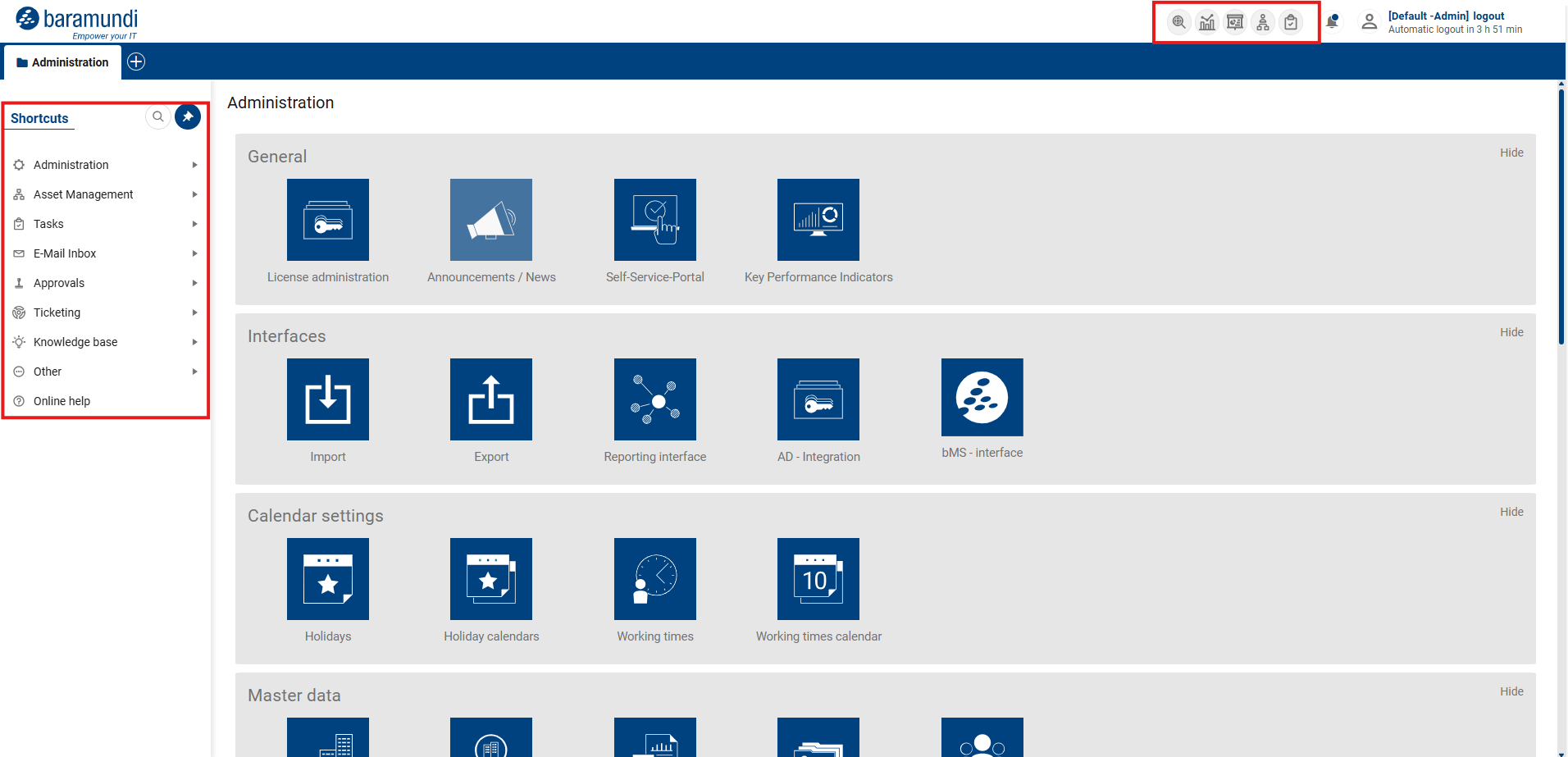
Shortcut bar + icon bar from 2.6.0
Asset Explorer replaced by GraphView core function
The existing Asset Explorer has been replaced by the core function of GraphView. This means that asset relationships and assignments are no longer displayed on an HTML basis, which increases the stability of the functionality. The existing functionality has been slightly modified.
Assets and their relationships and assignments can be viewed from four perspectives: based on a person, a location, an asset, or a contract. Depending on the perspective selected, the relevant assets and their relationships are visualized. The Asset Explorer can be opened via the new icon bar or the shortcut bar under Asset Management:
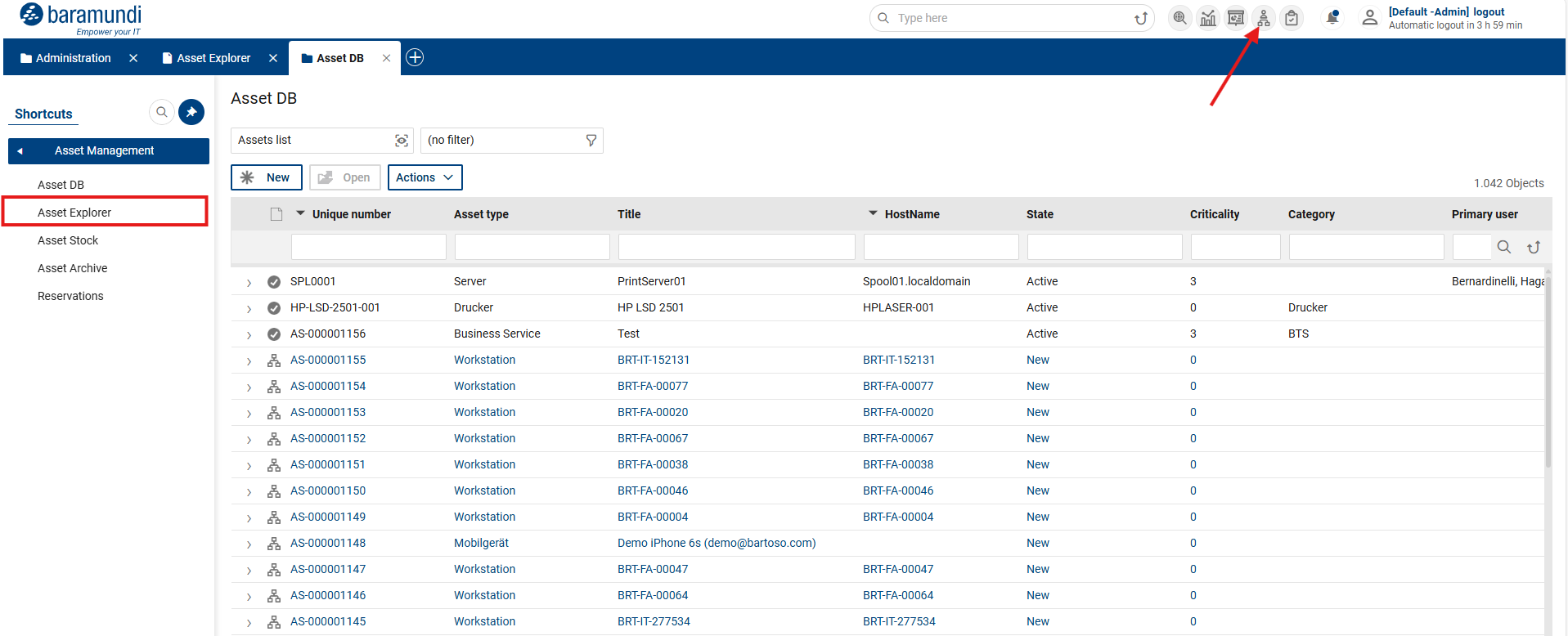
The following is a brief guide to the initial opening/use of the Asset Explorer:
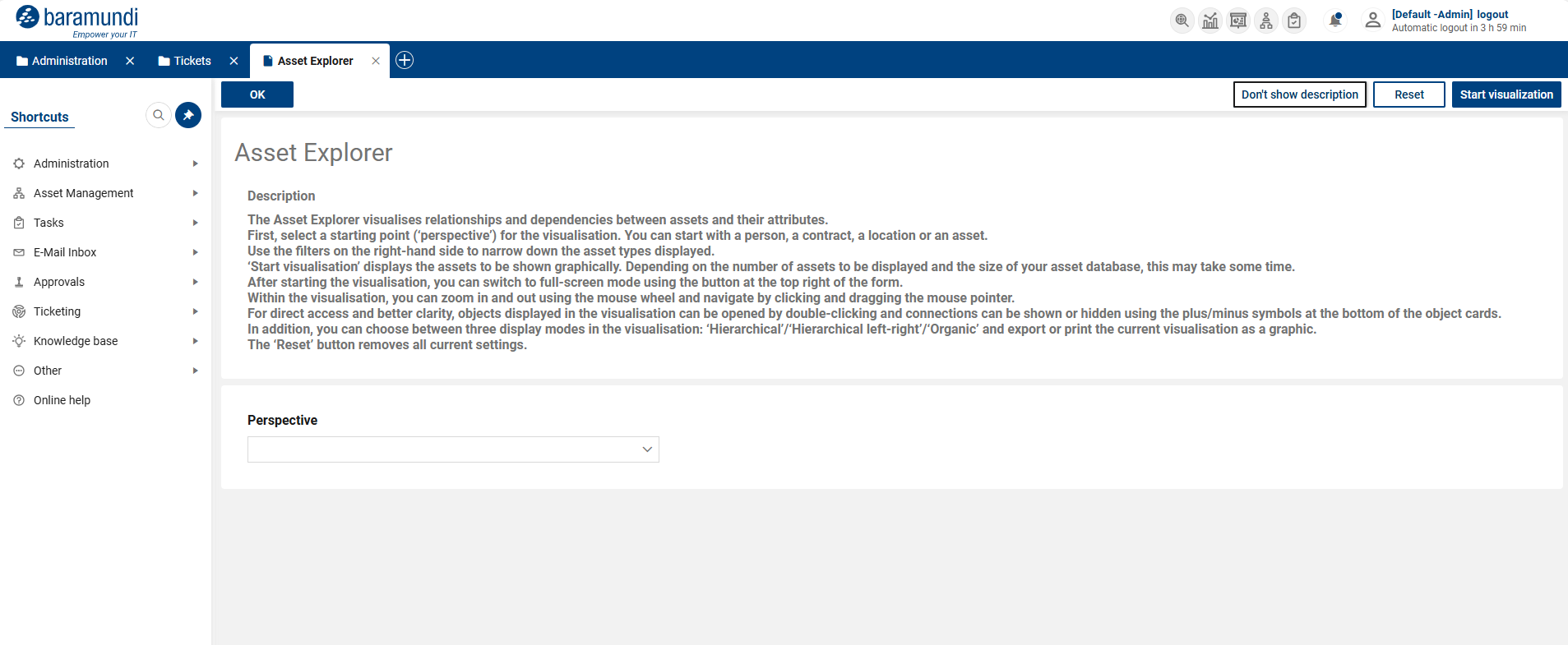
Asset Explorer – Initial opening
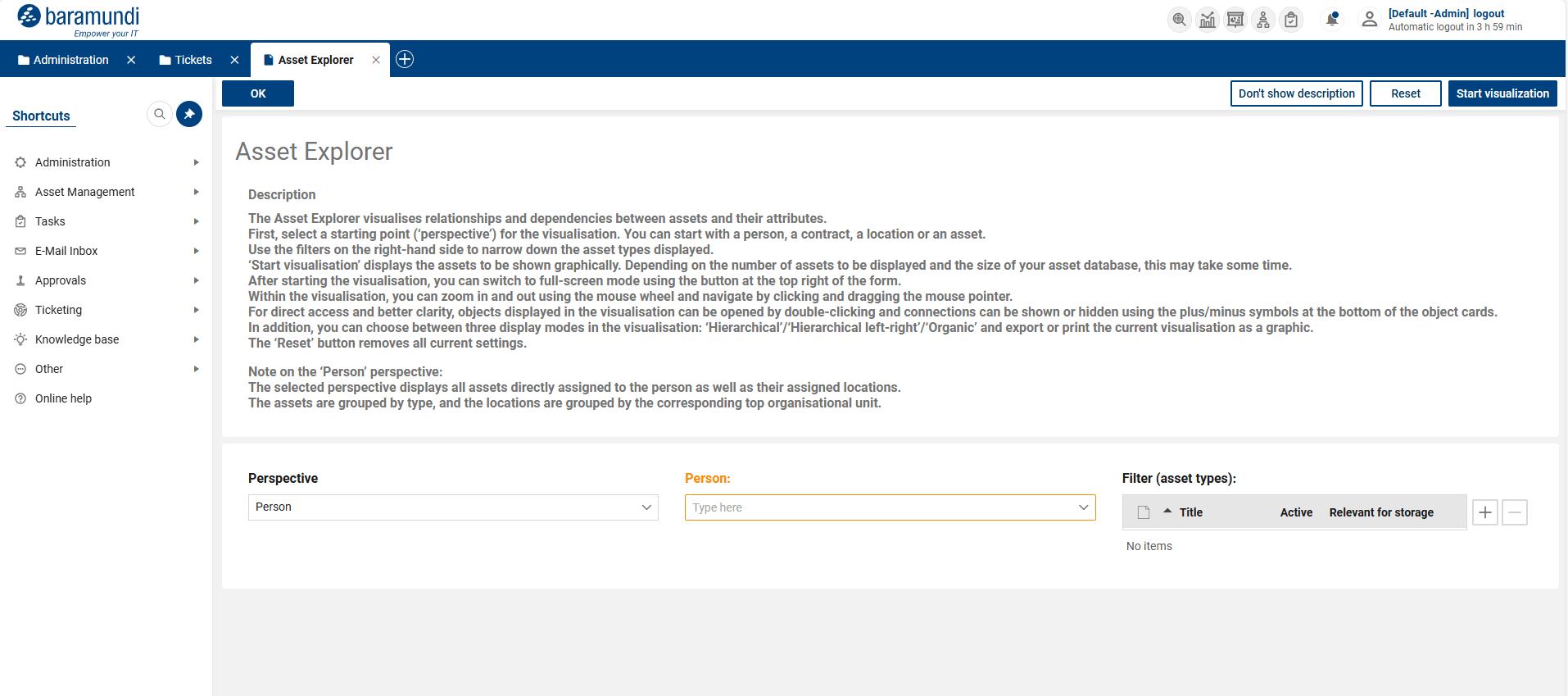
Asset Explorer – Perspective: Person
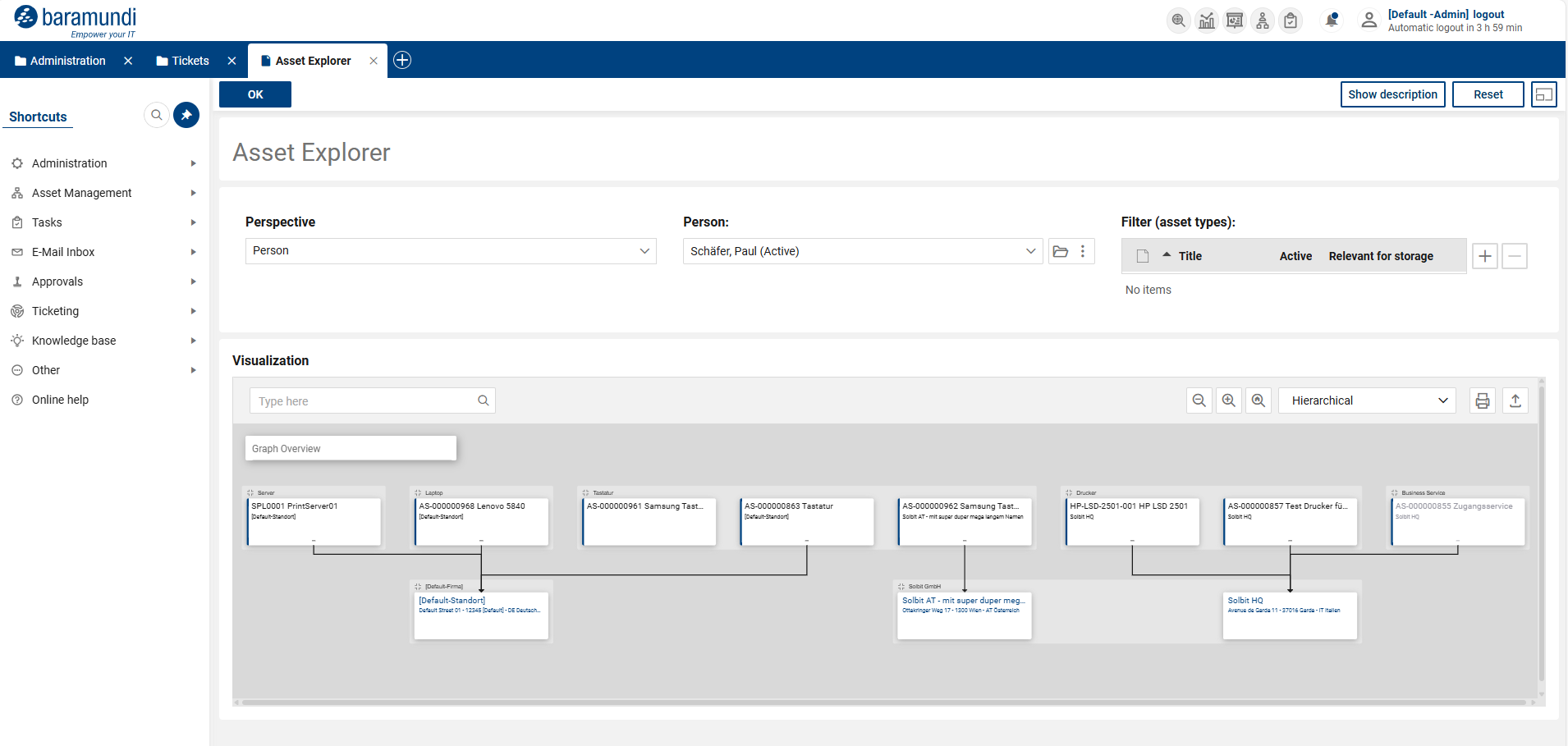
Asset Explorer – Perspective: Person Visualization started
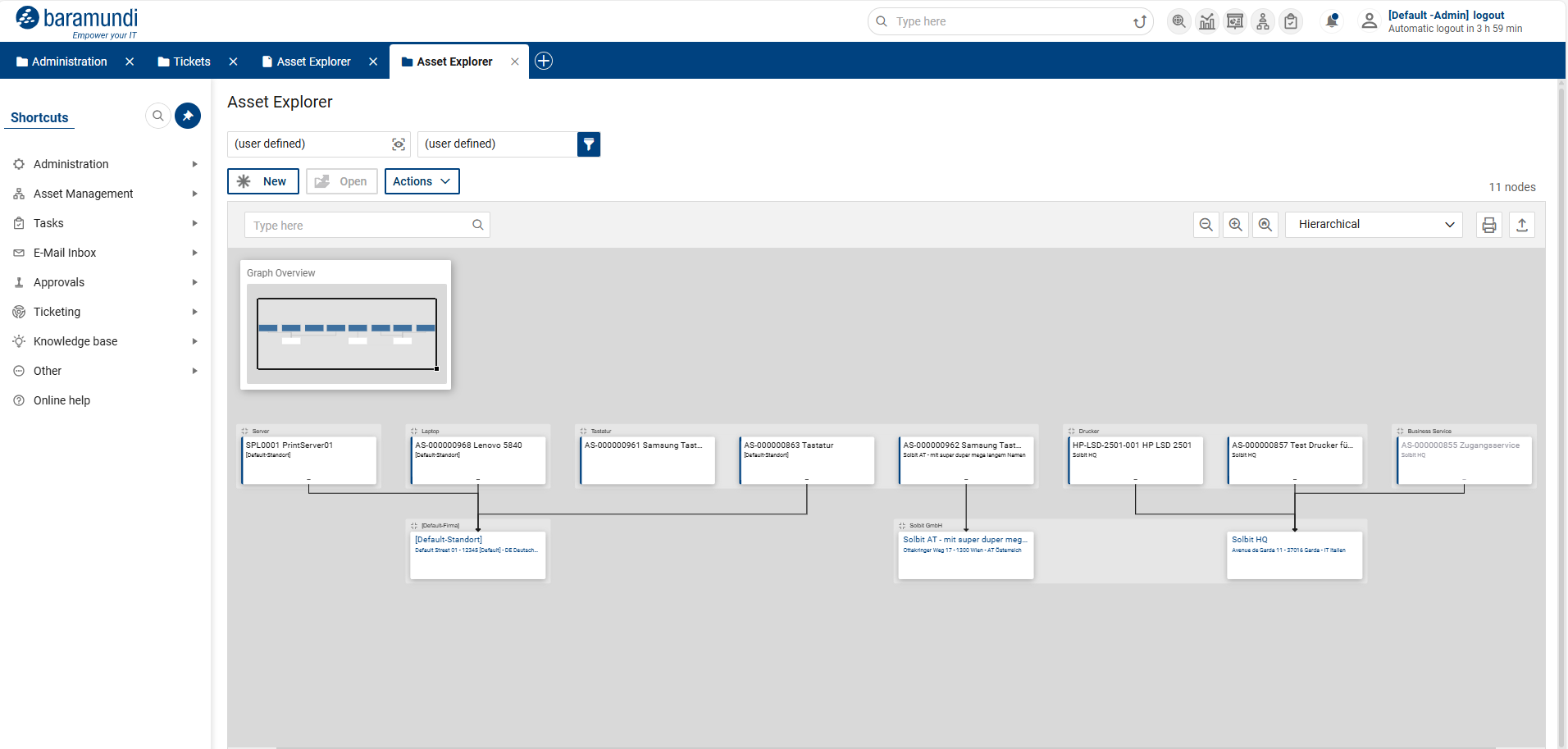
Asset Explorer – Perspective: Person Full screen mode
KPI monitor converted to core dashboard function
The previous HTML-based KPI monitor has been replaced by the core functionality of the dashboards. This increases the stability of the function and provides additional options such as real-time updates and the use of hyperlinks. There are currently two KPI dashboards available:
KPI-Monitor
with general metrics such as open and unprocessed tickets, quotas (e.g., immediate solution and rejection rates), ticket distribution by group and request type, high-priority, escalated, and SLA-violated tickets, and total ticket volume.
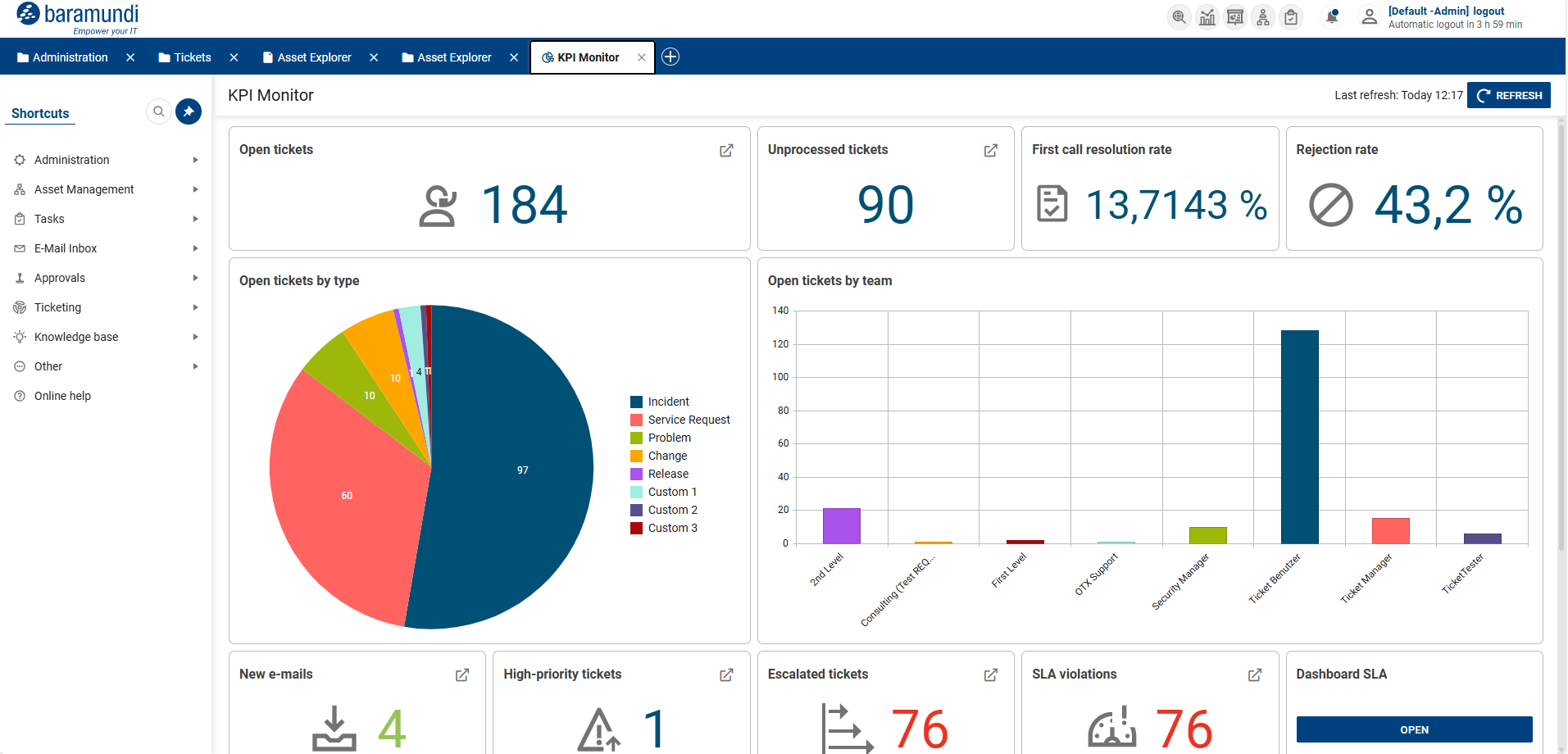
KPI Monitor
KPI-Monitor SLA,
which displays SLA-relevant metrics, including open tickets with SLA times, fulfillment rates for response and recovery by priority and type, lists of escalated tickets, and an evaluation of processing times per request type.
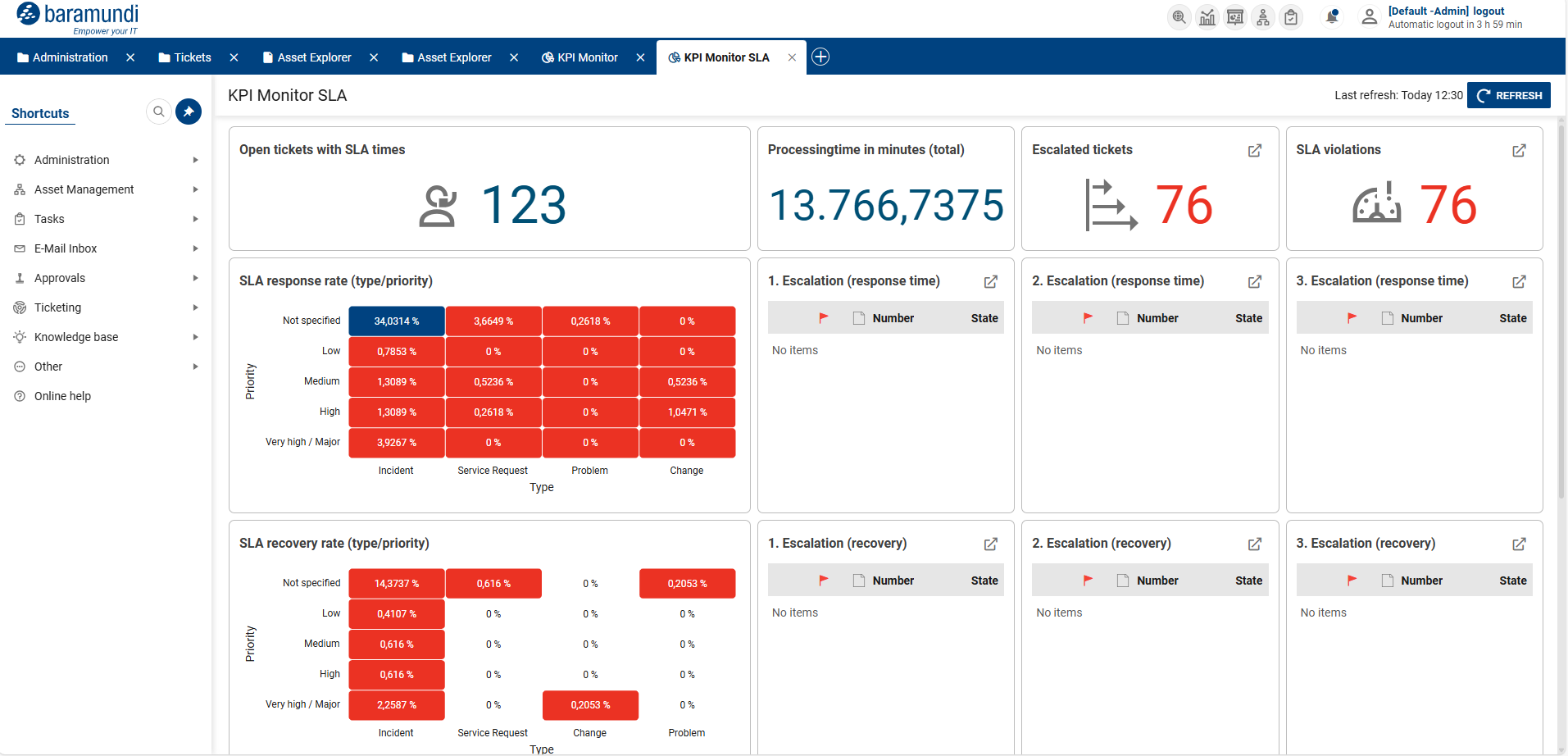
KPI Monitor SLA
The KPI monitors can be accessed via the new toolbar at the top of the portal and are visible to the respective groups.
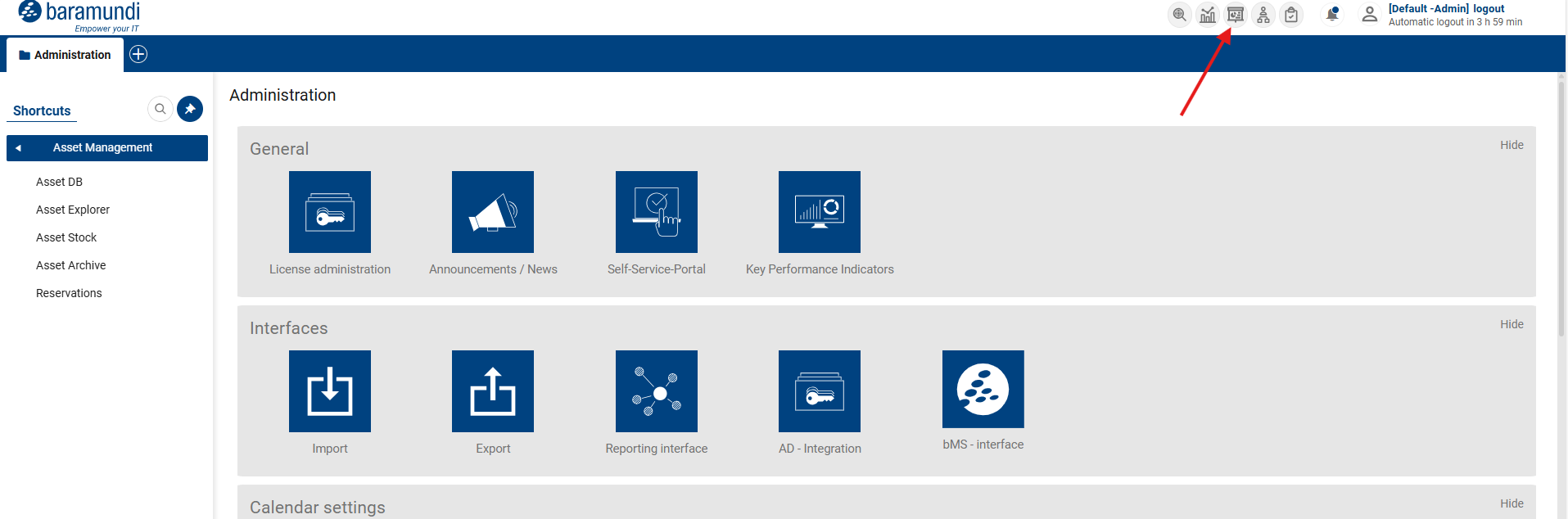
Open KPI Monitor
The admin view for key performance indicators has also been adjusted. Our analysis has shown that the existing customization options are rarely used.
Since this flexibility also requires considerable maintenance and servicing, we have decided to reduce the customization options in an intermediate step. As of release 2.6.0, the “Key Performance Indicators” admin view is therefore primarily used to view the available KPIs and no longer to configure them.
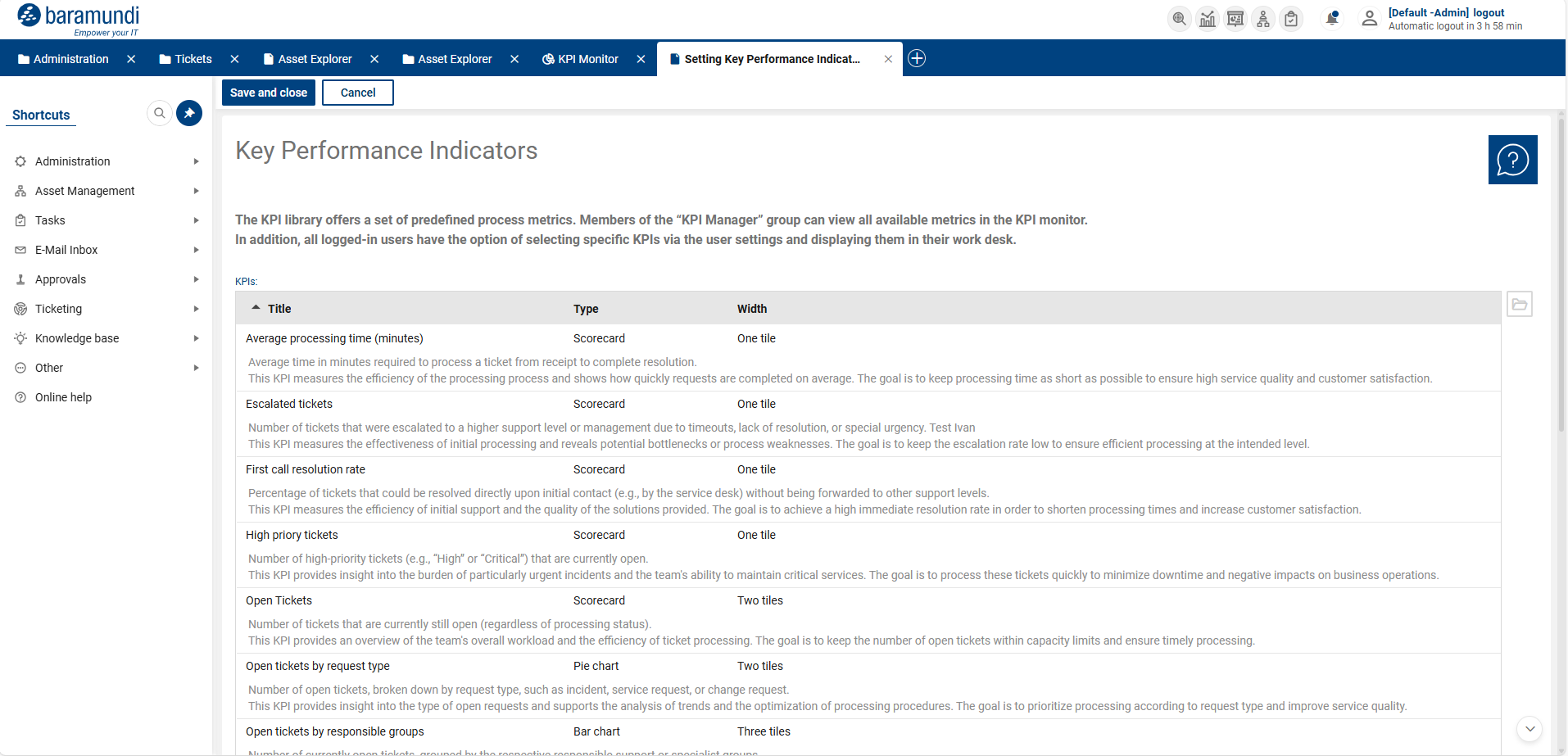
Overview of existing KPIs
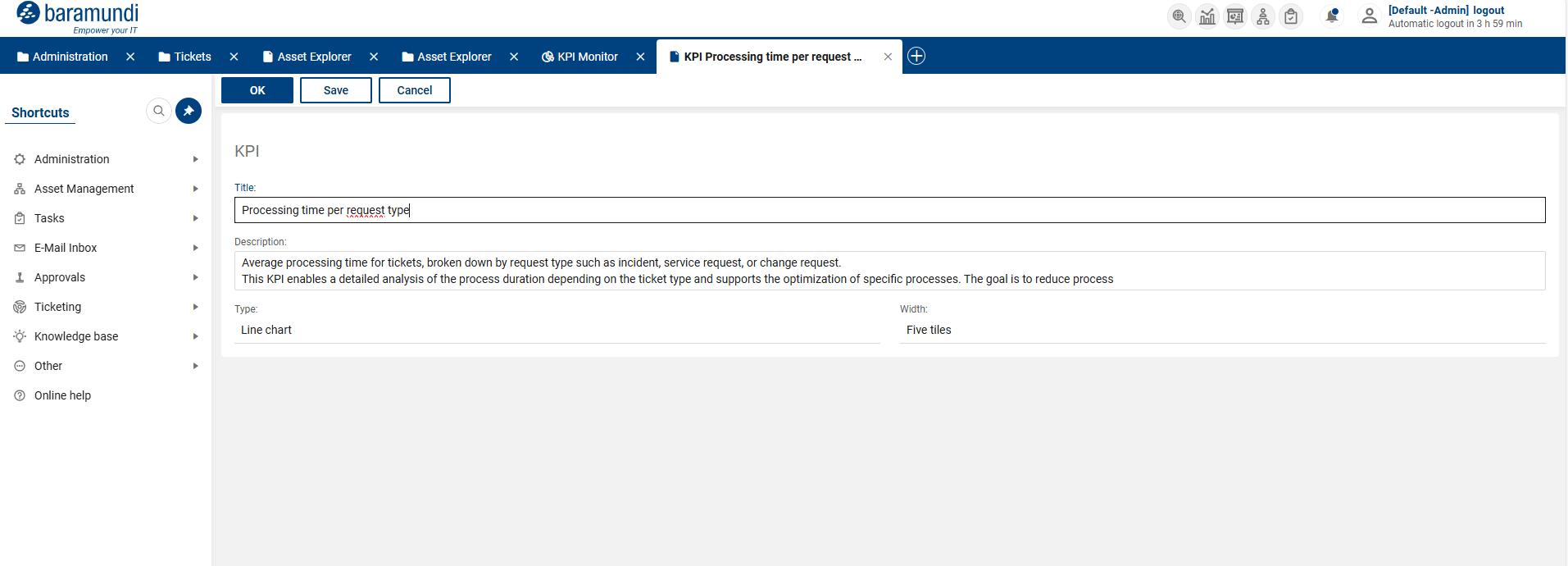
Detailed view of KPI
Revised logic and workflows for ticket relationships
The ticket relationships in OMNITRACKS have been fundamentally revised and standardized. The aim is to achieve clearly defined, transparent behavior between main and sub-tickets, as well as more stable and traceable synchronization of relevant ticket information. The logic is based on a clear master/slave relationship without multiple levels.
Tickets can be either main or sub-tickets. The behavior of the ticket relationship is controlled centrally via a defined behavior model of the parent ticket, which applies to all tickets within the relationship and cannot be changed after the initial assignment.
There are three behavior models available with clearly defined workflows:
Ticket relationships - Behavior 1: Main ticket completes sub-tickets
If the main ticket changes its status or relevant classifications, the assigned sub-tickets are automatically adjusted. When the main ticket is closed, statuses and solution information are transferred to the sub-tickets to ensure consistent closure of all tickets involved.
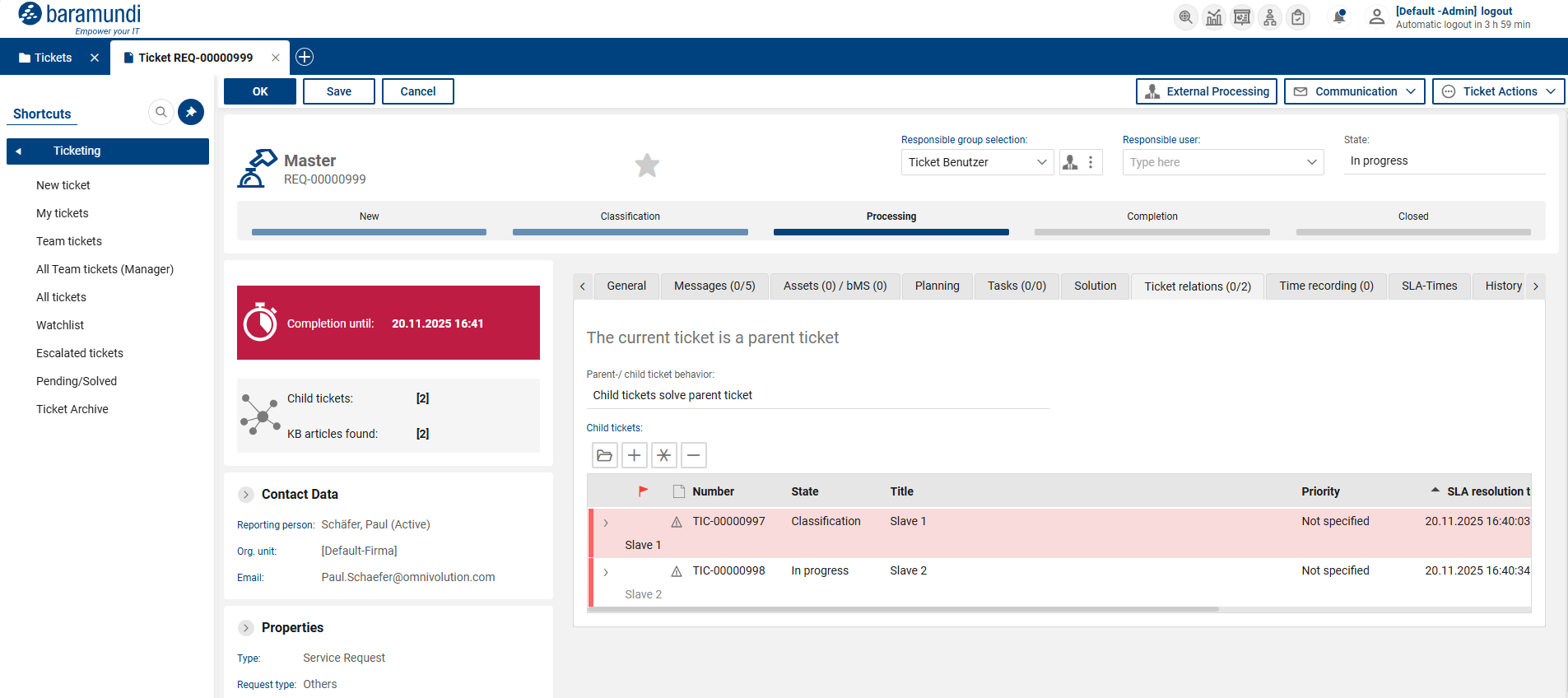
Ticket relationships - Main ticket
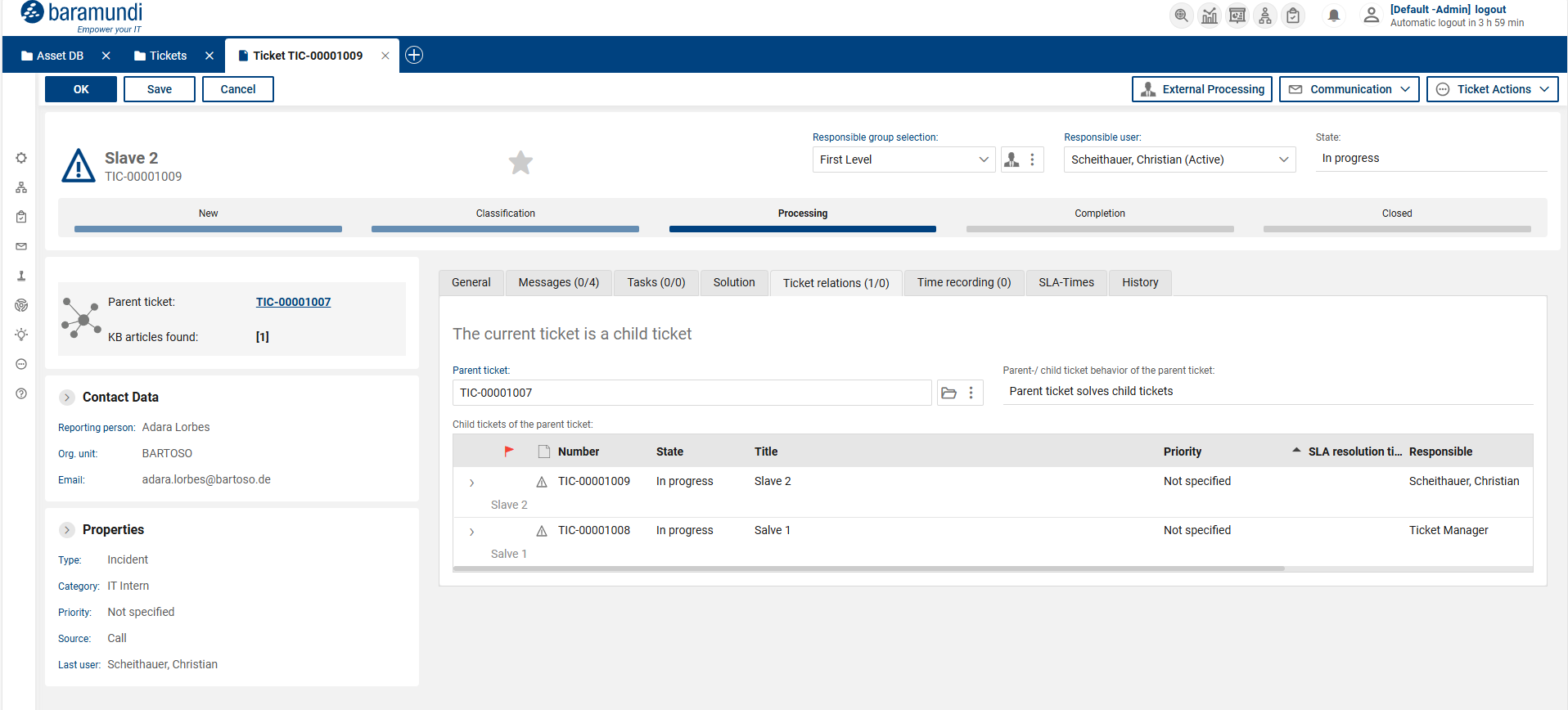
Ticket relationships - Sub-ticket
Ticket relationships - Behavior 2: Subtickets complete main ticket
In this model, the subtickets control the progress of the main ticket. Once all subtickets have reached defined statuses, the status of the main ticket is adjusted accordingly and provided with summary solution information.
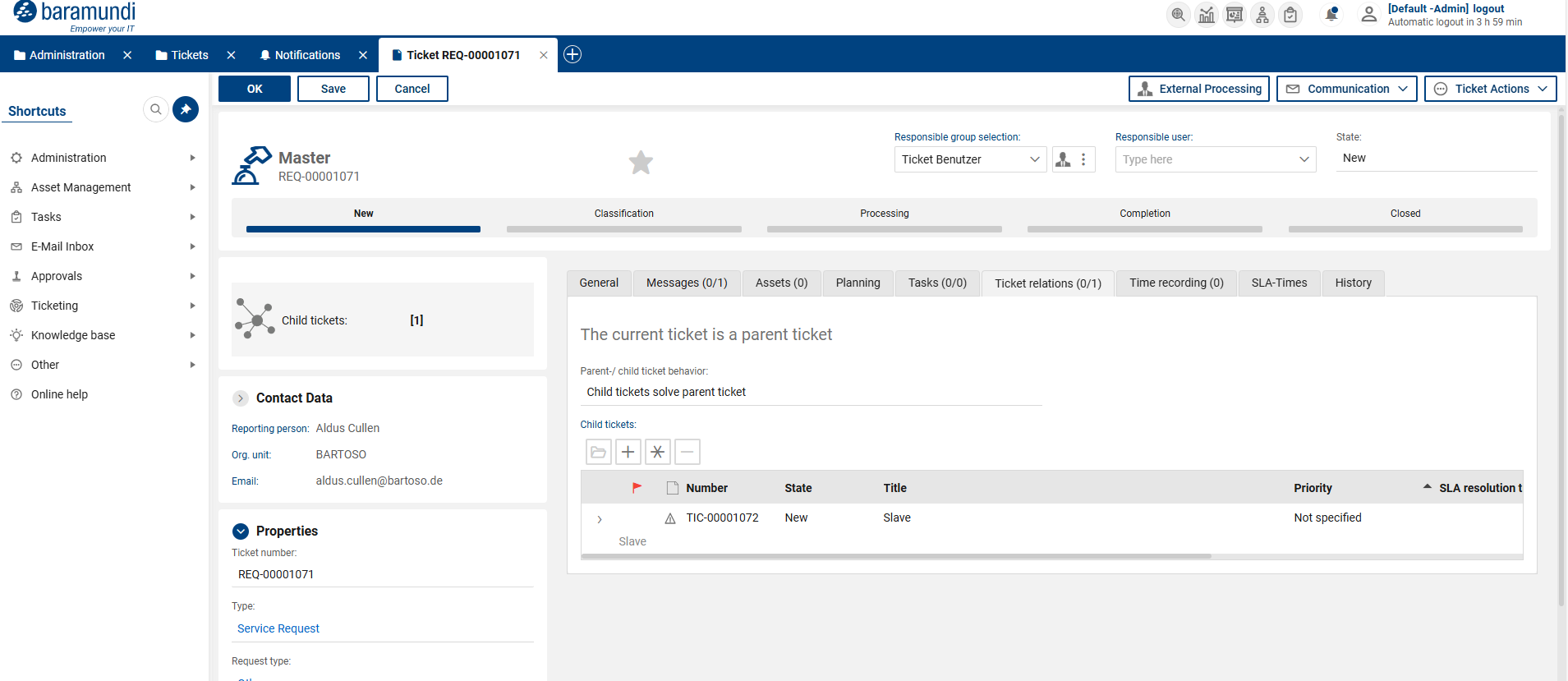
Ticket relationships - Main ticket
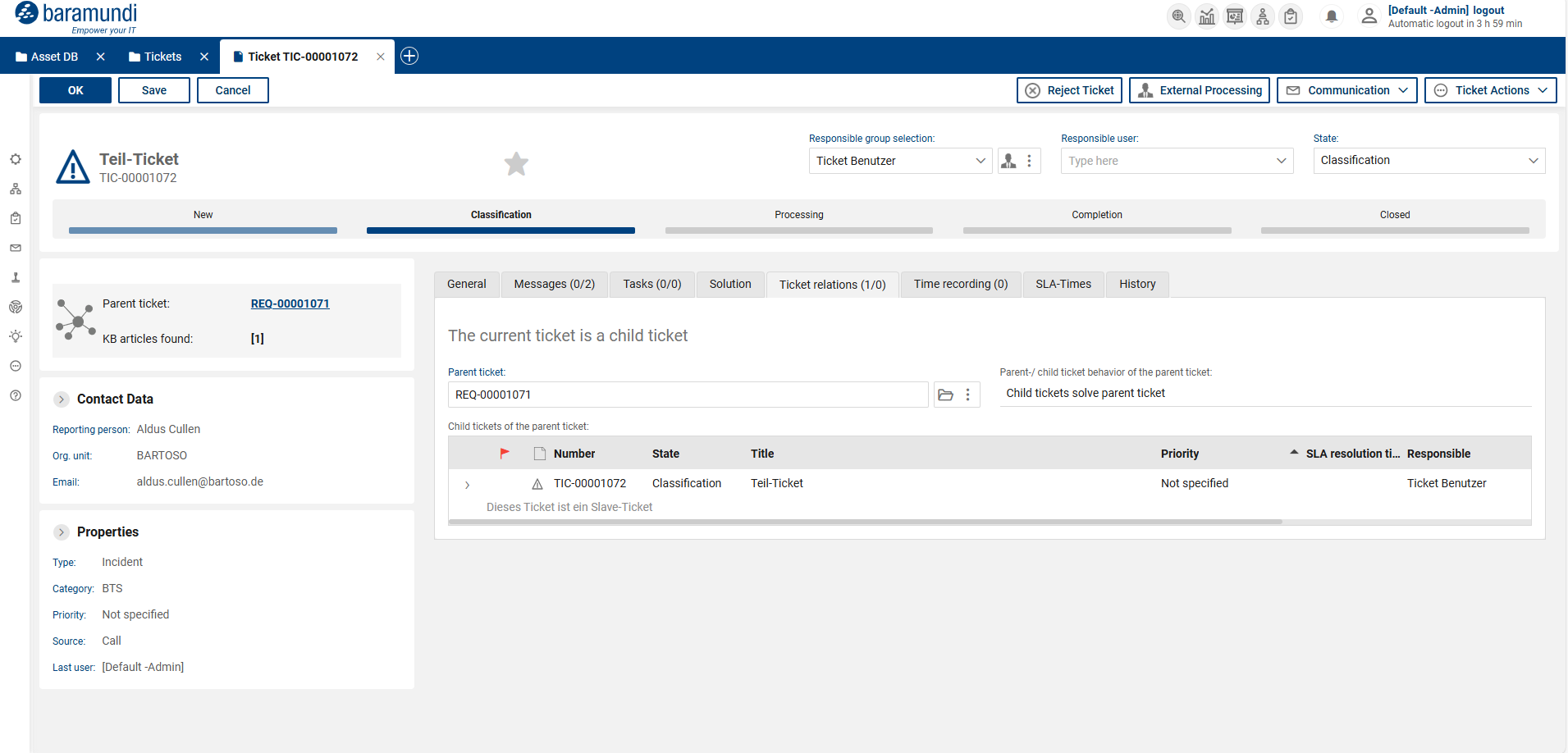
Ticket relationships - Sub-ticket
Ticket relationships - Behavior 3: None
With this behavior, there is no automatic synchronization between main and sub-tickets. The tickets are processed independently of each other.
Ticket relationships - Extended error handling for missing mandatory fields
Extended error handling has been introduced for both synchronization behavior models (“Main ticket completes sub-tickets” and “Sub-tickets complete main ticket”). If an error occurs during automatic status transfer, for example due to mandatory fields in a ticket not being filled in, the current status is temporarily saved and the agent concerned is automatically informed.
The ticket is specifically set to a status in which the missing required fields are visible and editable. Once the required fields have been filled in completely, synchronization is automatically restarted and the intended status is correctly continued. This prevents endless loops and at the same time ensures that required field violations can be resolved in a transparent and controlled manner.
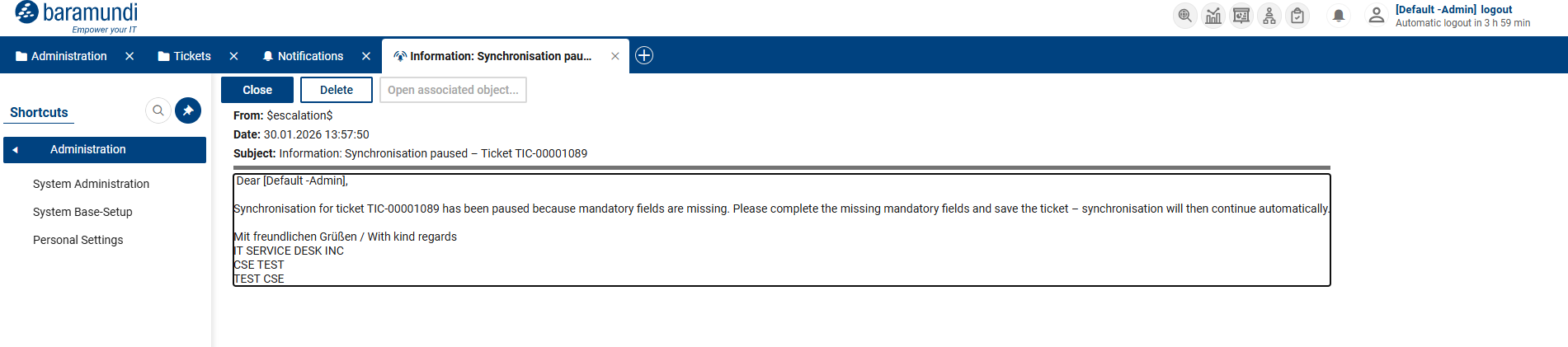
Ticket relationships - Notification
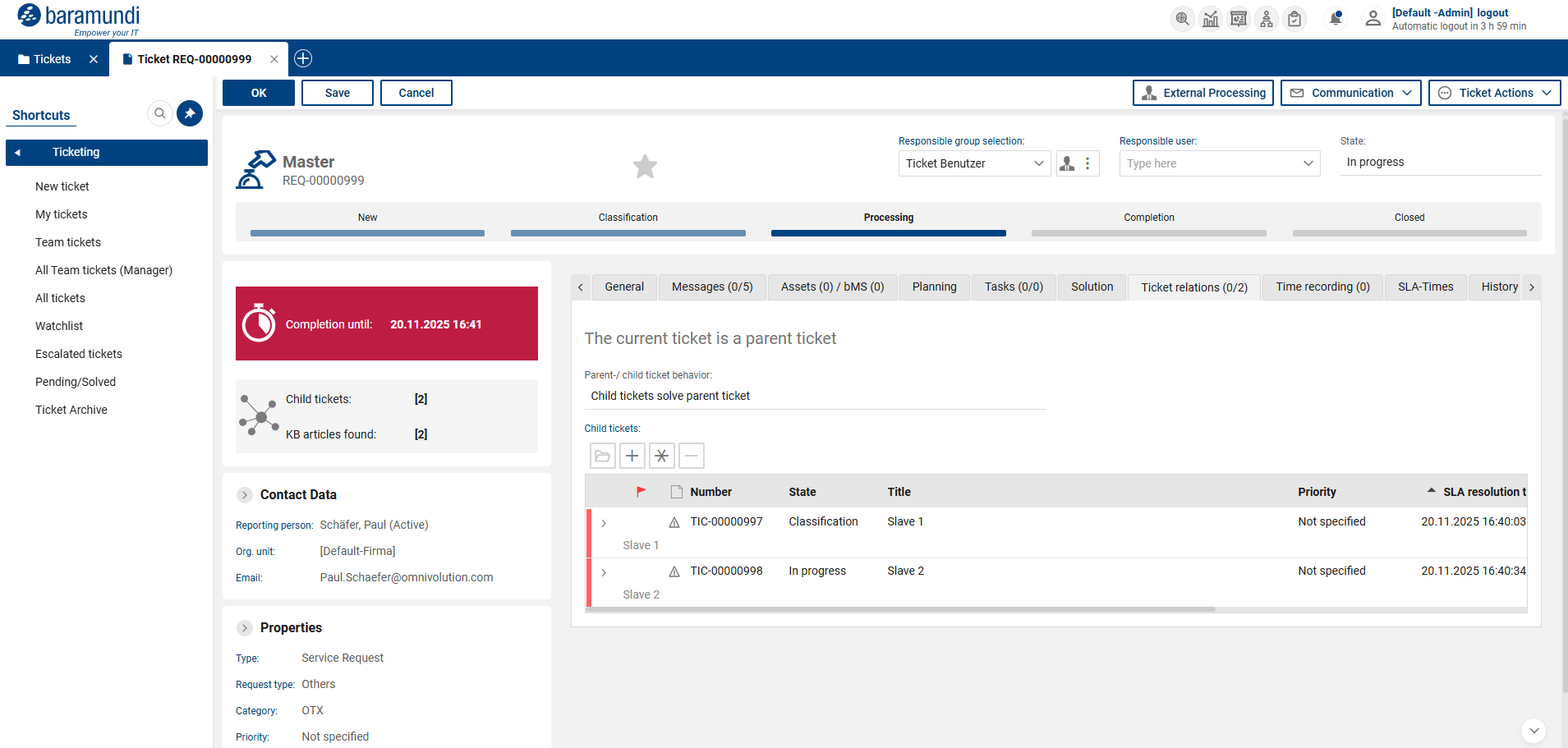
Ticket relationships - Error handling 1
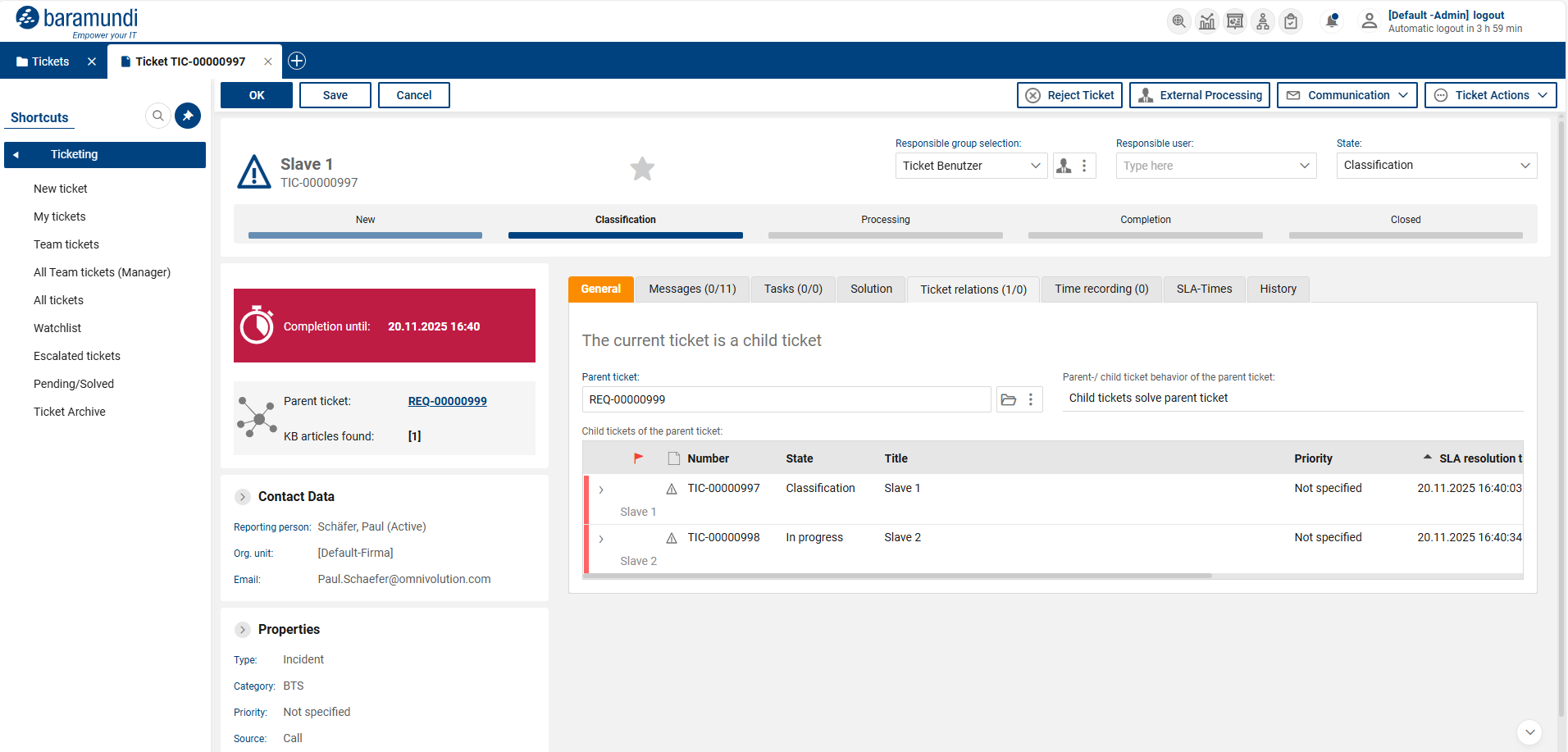
Ticket relationships - Error handling 2
Bug fixes
•Ticket link correctly integrated into system message template
The ticket link is now correctly set in the system message template “Email to responsible person – resubmission” and reliably inserted when sent, so that direct access to the ticket is possible as intended.
•Configurable search accuracy in global search
| The global search has been expanded to include configurable search accuracy with high, medium, and low levels, allowing users to control search results in a targeted manner. |
•Empty and inactive groups excluded from selection
Empty and inactive groups are now automatically excluded from the group selection, which prevents incorrect assignments and increases clarity.
•Deletion of ticket templates technically secured
| The deletion of ticket templates has been technically secured and is now only possible once all assigned tickets have been closed, preventing inconsistent statuses. |
•Messages in SSP have signature from ticket owner
The comment field in the SSP message modal is now automatically cleared when opened, so that incorrect signatures from the ticket owner are no longer displayed.
•Individual fields not usable for header search
| The views accessible via the shortcut bar have been adjusted so that only searchable and consistent titles are displayed, ensuring that the header search can be used reliably. |
•Password requirement introduced for persons with SSP access
| When creating persons with SSP access, it is now mandatory to assign a password so that access without valid authentication is no longer possible. |
•Extended matrix for standard responsible persons to include request and ticket types
The matrix for standard responsible persons has been extended to include request types and ticket types, allowing responsibilities for service requests to be defined in greater detail.
•Responsible groups restricted to active groups
The selection of responsible groups has been restricted to active groups, with the filter behavior adjusted so that existing field values are taken into account consistently.
•Translations of ticket form settings completed
Missing translations have been added to the ticket form settings, which are now fully and consistently localized.
•Corrected English name for serial actions
The English names for serial actions have been corrected and uniformly changed to “Scheduled tasks.”
•Exporting ticket data for closed tickets
It is now possible to export ticket data for closed tickets as well, as the export logic has been adjusted accordingly.
•Consistent behavior when creating tickets from emails
The creation of tickets from emails has been standardized so that emails are attached correctly regardless of the entry point and the ticket origin is set consistently.