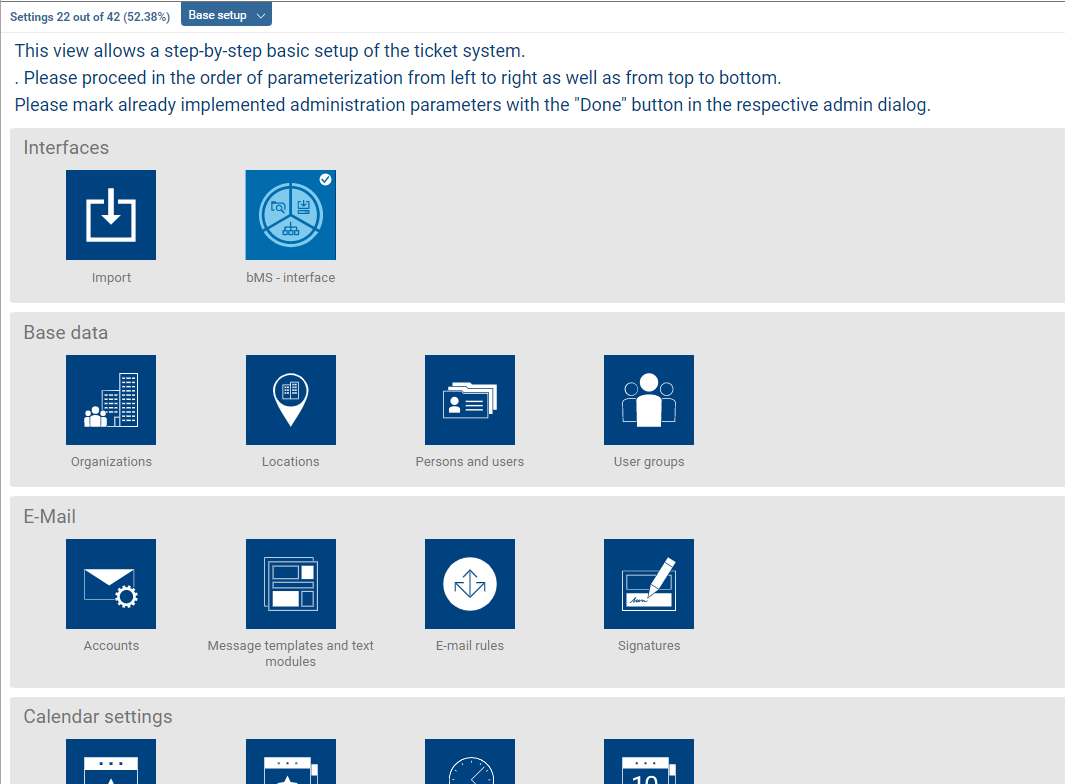
The “System Base Setup” shortcut in the Administration section provides a quick and easy way to get started with customizing the system. It brings together the administrative settings that are essential for the system to function properly. The settings are organized logically so that they can be reviewed sequentially—chapter by chapter, from left to right. This ensures that the most important basic settings and data imports are completed. Under optimal conditions (e.g., master data to be imported is prepared), the ticket system can be individually configured and rolled out within one business day after completing the basic setup. Additional settings are optional and serve to refine IT services or are necessary to use additional features.
In the basic setup, the “Done” button can be used in the respective settings dialog to mark the corresponding tile. This is helpful if the setup is not performed all at once but spread out over several days. This is intended to prevent basic settings from being overlooked.