Major system changes
Easy Ticketing
Use Case
The goal is to simplify ticket processing. Users should be able to focus on the next step in the process without having to understand the underlying state logic or know which fields are required.
Implementation
With Easy Ticketing, a guided ticket processing system has been introduced.
Instead of manually selecting the next ticket status, the agent can continue the ticket process by clicking a central “Next…” button. The system automatically checks the current input, determines the requirements for the next step in the process, and highlights any required fields directly.
If no additional entries are required for the next status, the status change can be performed automatically. Otherwise, the user is guided step-by-step through the remaining required entries.
This makes ticket processing more transparent and supports compliance with existing ticket processes without changing the underlying process logic.
Advantages
•Guided ticket processing without requiring knowledge of status logic
•Immediate highlighting of missing required fields
•Reduction in data entry errors and incomplete status changes
•Faster processing of recurring tasks
•Improved user guidance, especially for new users
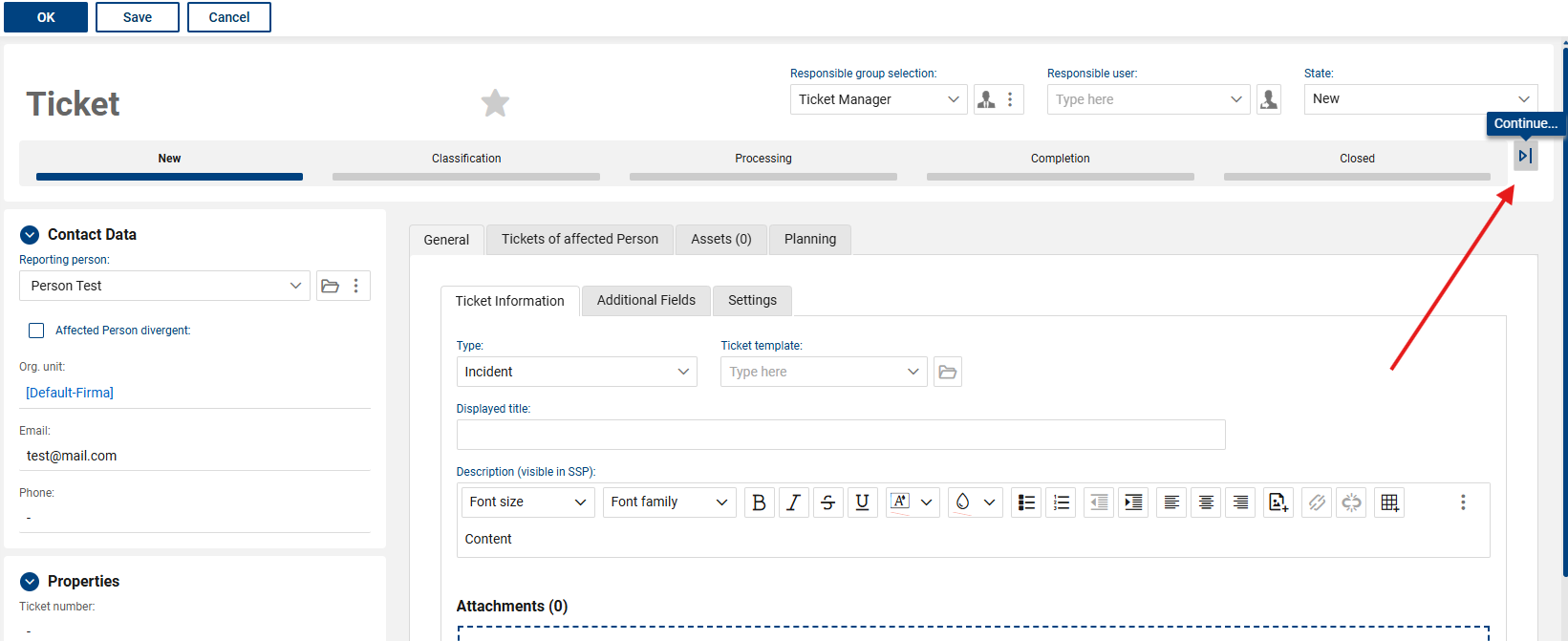
(Button on the ticket form (visible after a ticket type is selected))
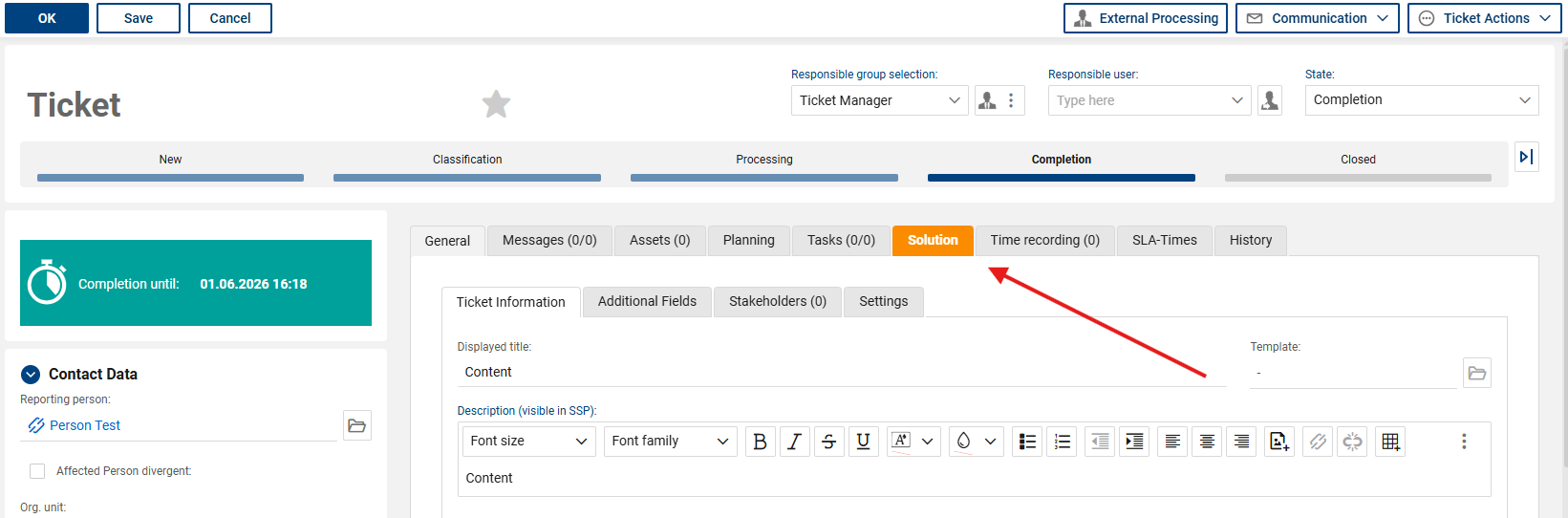
(Highlighting required fields for the next step in the process)
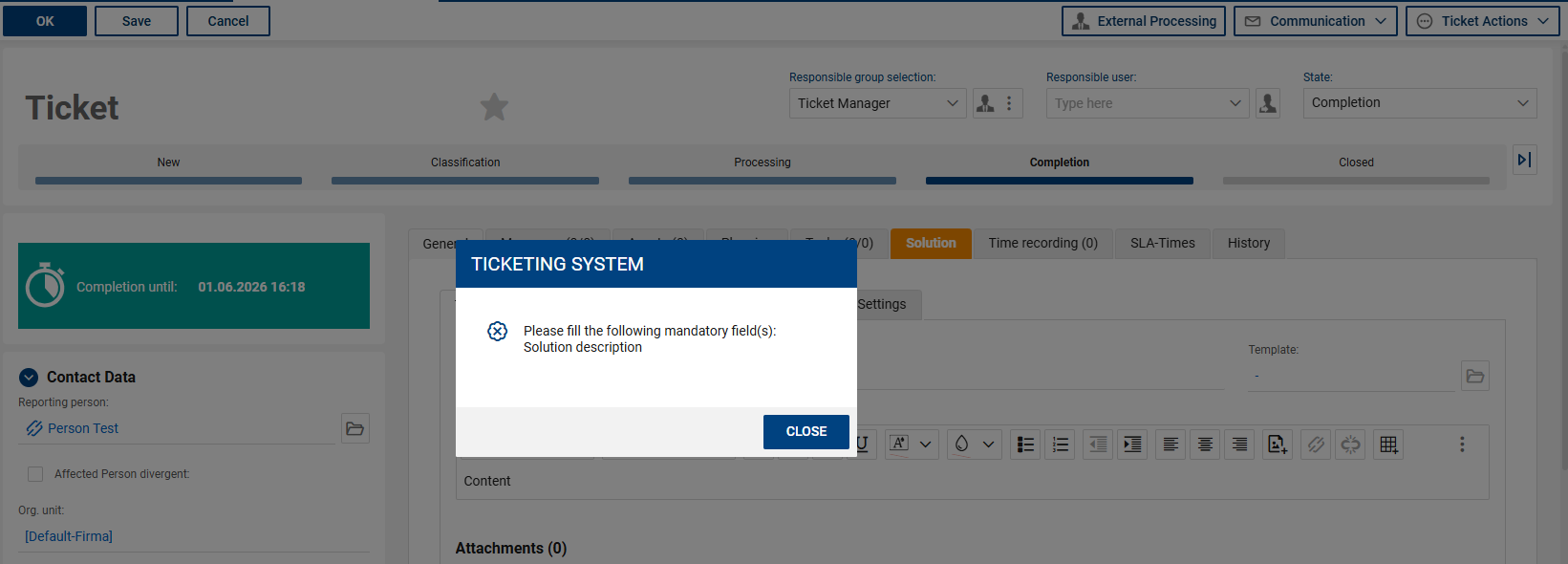
(Error message if required fields marked in bold have been ignored)
Advanced export features
Use case
Administrators need the ability to export additional data sets and track exports that have already been performed.
Implementation
The export functions have been expanded.
Additional data ranges can now be exported. In addition, an export history is available, allowing you to view previously executed exports.
Furthermore, a JSON export including attachments can be provided upon request through Support.
Note
JSON exports, including attachments, are subject to a fee and are intended for specific use cases.
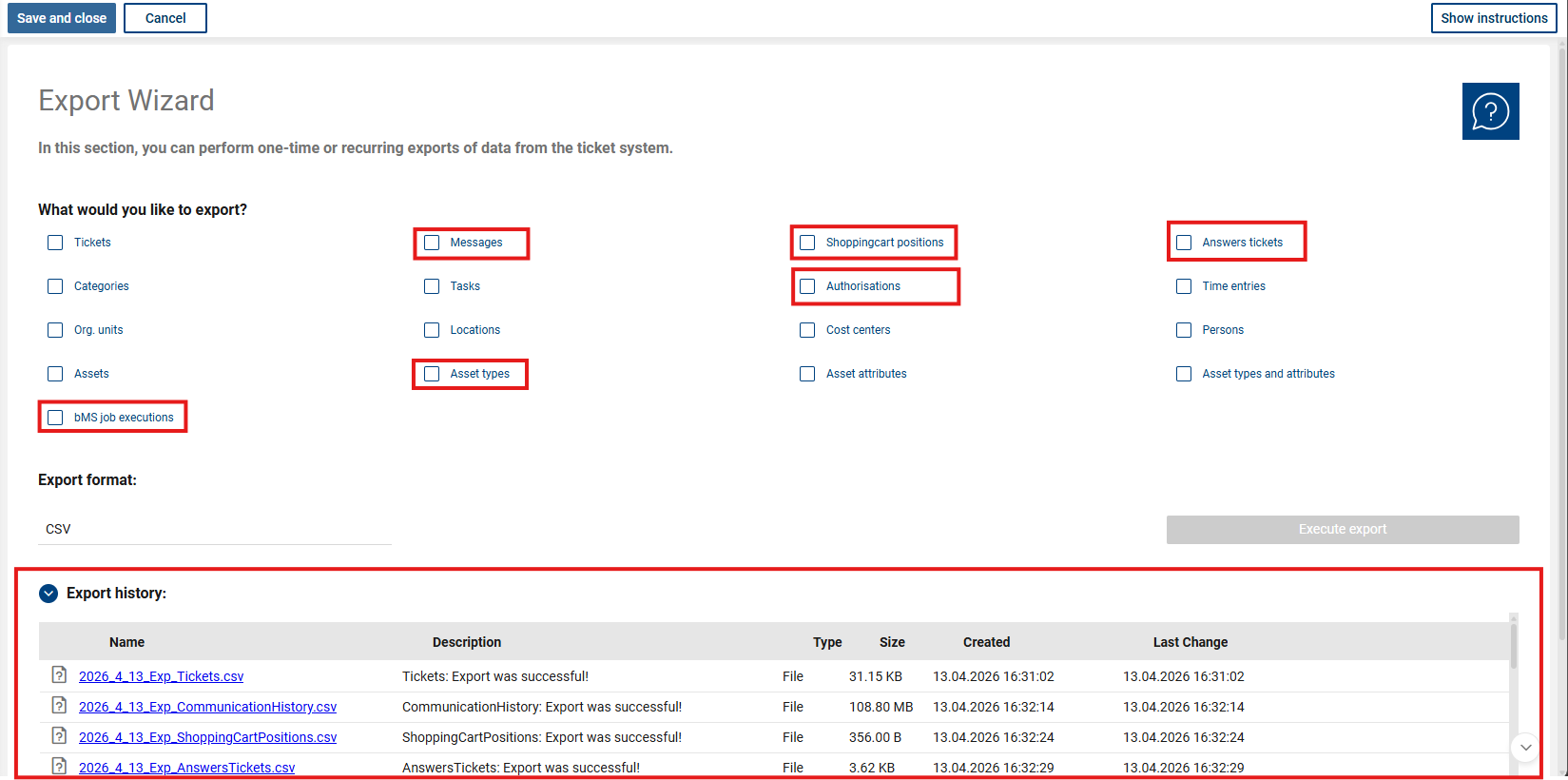
(New export sections + Export history)
Refined administration
Use Case
Administrative areas should be structured more consistently and provide better user guidance.
Implementation
The administration sections have been redesigned both structurally and visually.
The redesign applies to all administration sections, including:
•General
•Asset Management
•Tasks
•Calendar Settings
•Interfaces
•Master Data
•Ticket Process
All administration forms now feature:
•a brief description directly within the form
•a pop-up guide
•a direct link to online help
The instructions can be shown or hidden using a new button in the shortcut bar of the respective form.
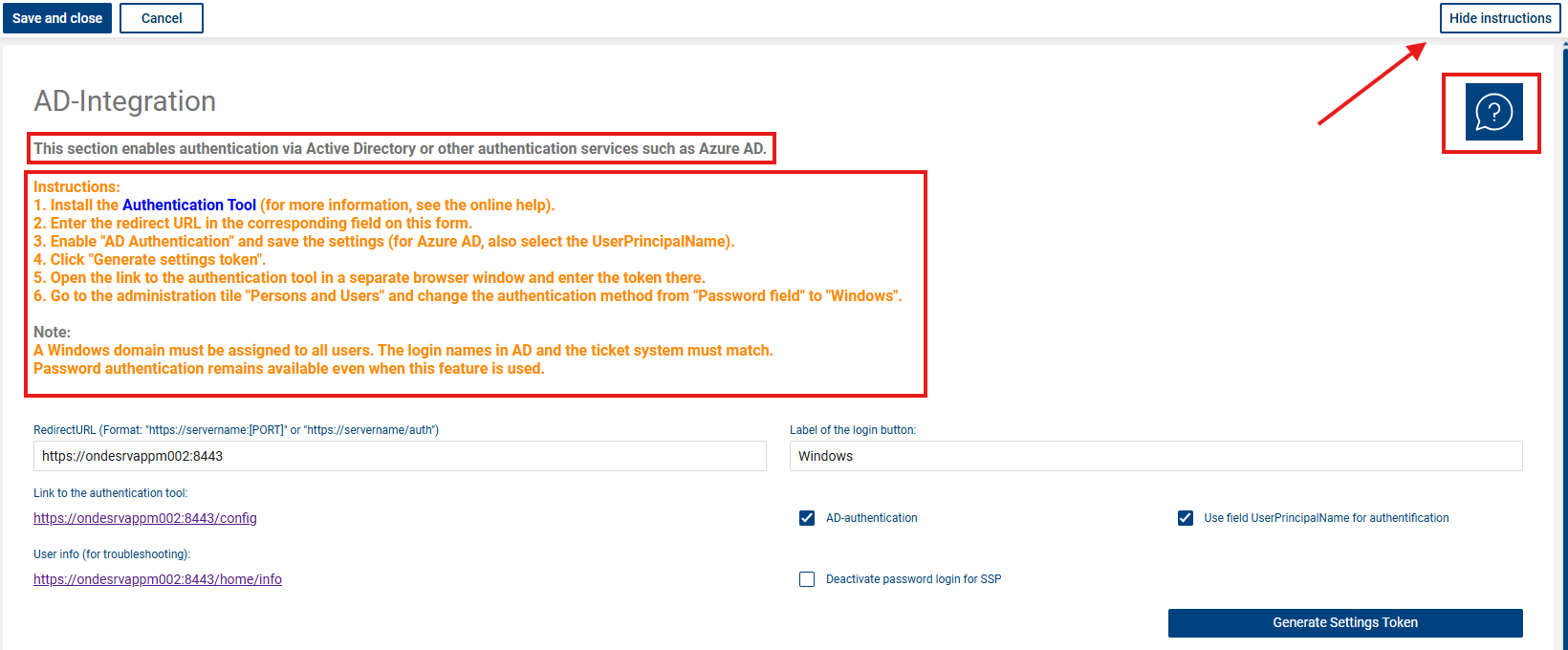
(Brief description, instructions, Show/Hide Instructions button, Web Help button)
Extension of bMS User Import
Use Case
Users with SSP access should also be assigned a password when they are created via the bMS user import. This ensures that newly created users cannot access the self-service portal without a password.
Implementation
The bMS user import has been enhanced to allow you to set passwords for imported users.
To do this, you must create a new variable named bTS_Password (of type string) in bMS. We recommend setting a default value for this variable.
During the import, this value is used exclusively for people who currently do not have a password stored. Existing passwords are not overwritten.
This enhancement provides additional security for customers who use the bMS person import.
Note
After setup, it is recommended that you ask affected users to change their password once.
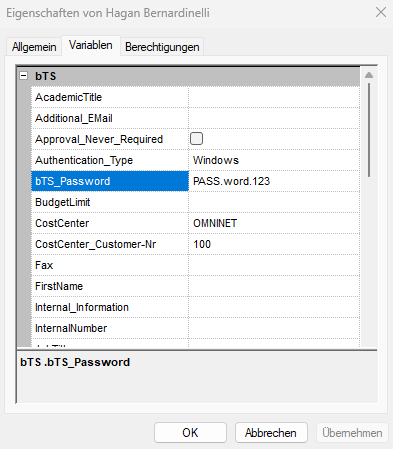
(Properties of the variable bTS_Password)
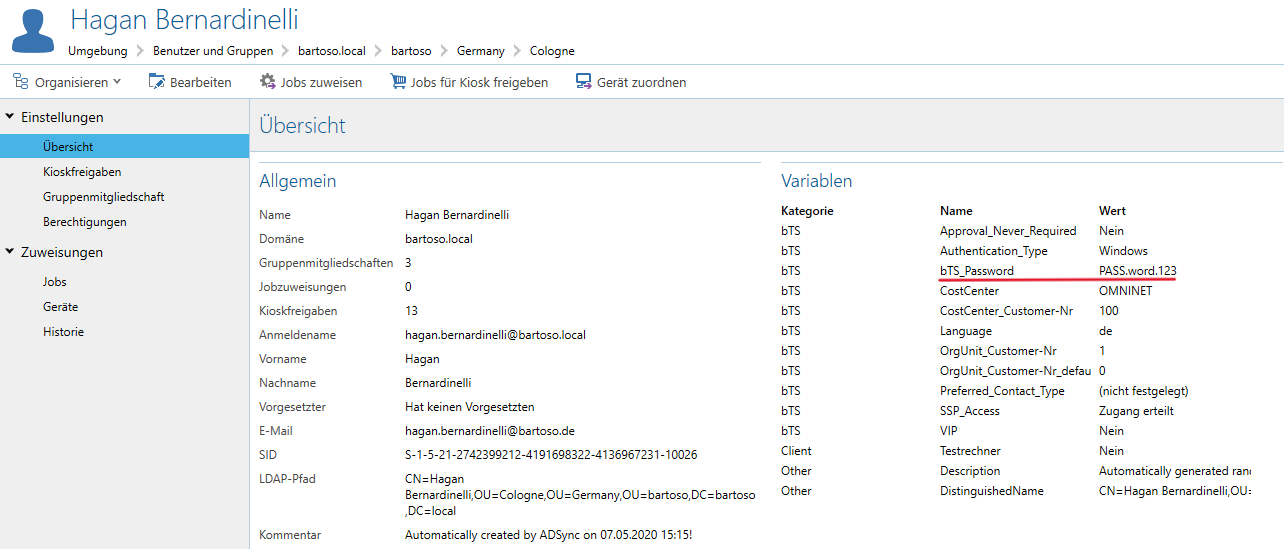
(Sample person, including a new variable with a default value)
Advanced SSP Search
Use Case
Users should be able to find information and content more quickly in the self-service portal.
Implementation
The search functions in the self-service portal have been expanded and optimized to improve the discoverability of content.
Optimized display of questionnaires in emails
Use Case
Responses from questionnaires should be clearly presented in notifications and emails.
Implementation
The display of survey responses in emails has been updated. Responses are now grouped and displayed in the correct order, improving readability and clarity.
Aborting questionnaires during ticket creation
Use Case
If a questionnaire is aborted during ticket creation, the ticket creation process should not be left incomplete.
Implementation
If a questionnaire opened as part of a ticket template during ticket creation is closed without any questions answered, the ticket creation process will now also be terminated.
Questionnaires that have already been started and contain existing answers can still be viewed and continued.
Advanced notification settings for ticket notifications
Use Case
Administrators want to be able to control whether ticket handlers are notified every time a new message is received.
Implementation
Previously, a ticket handler was only notified of new ticket messages when there were no more unread messages for that ticket. This was intended to prevent a large number of notifications from being sent when multiple messages were received in succession.
This behavior remains the default.
In addition, the “Always notify” option can now be enabled for each ticket type. If this option is enabled, ticket agents will be notified whenever a new ticket message arrives—regardless of whether there are already unread messages.
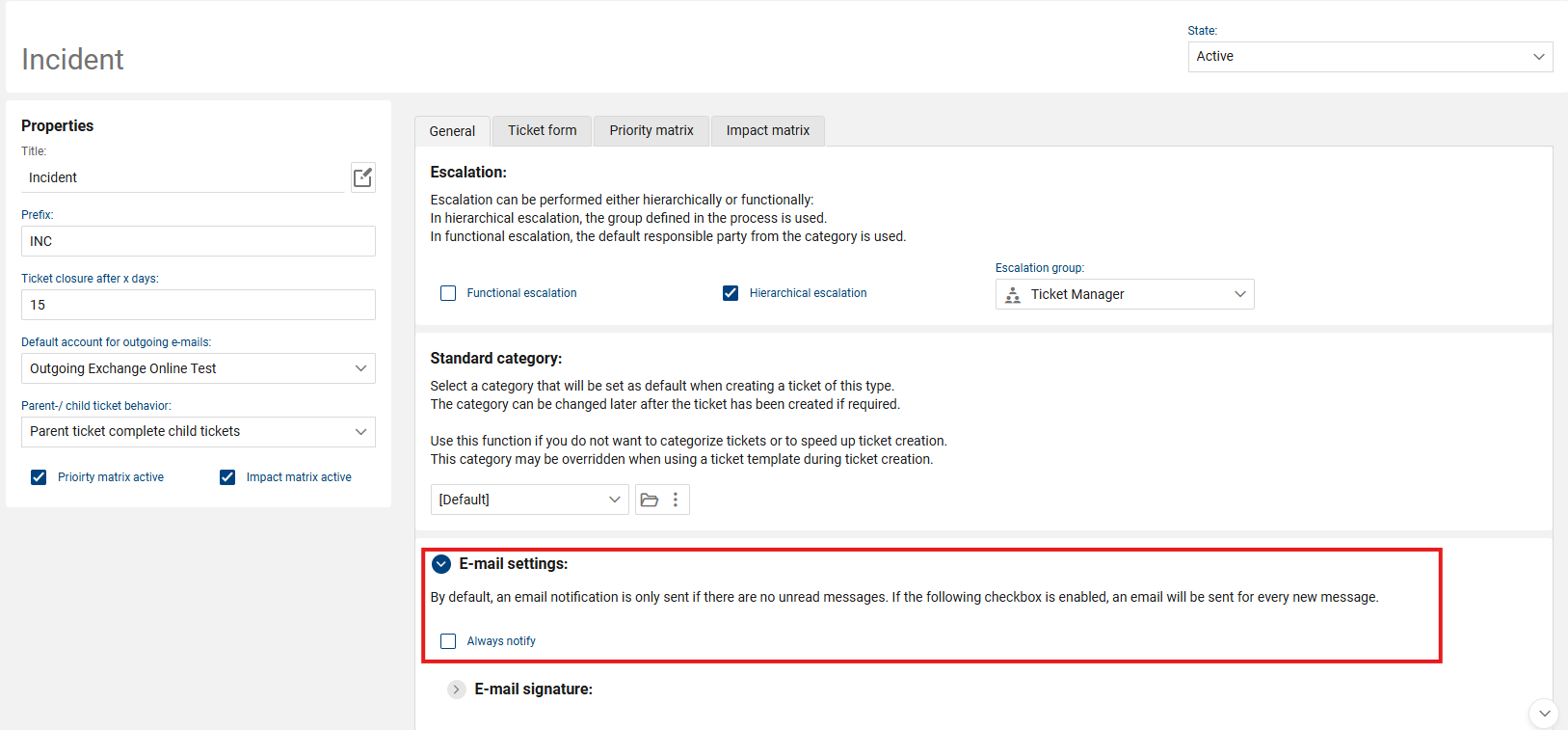
(E-Mail Einstellung des Typen Incident)
Defect fixes
Ticket templates in SSP
Problem
Ticket templates can be made available in the self-service portal both within categories and as direct links on the home page.
If such a ticket template was deactivated in the administration interface, this could result in links to the no longer available template remaining in the self-service portal.
Resolution
When deactivating a ticket template, the system now checks whether it is still linked directly to the self-service portal.
If so, deactivation is prevented and a corresponding message is displayed. This prevents broken or non-functional links in the self-service portal.
Retract SSP tickets
Problem
When retracting certain tickets in the self-service portal, an error message might have appeared, preventing the ticket from being retracted.
Resolution
The issue has been resolved. Tickets can now be retracted again via the self-service portal as intended.
Approvals
Problem
In certain cases, approvals in English were not processed correctly.
Resolution
The processing of approvals has been revised and improved. The issue no longer occurs.
Permission logic
Problem
In certain situations, permission checks could cause restrictions in the self-service portal.
Resolution
The relevant permission logic has been revised. The known limitations no longer occur.
Global search
Problem
Certain configurations within the global search could have unexpected effects on other parts of the system.
Resolution
The processing of these configurations has been adjusted. The side effects described no longer occur.
User groups
Problem
When removing users from user groups, the appropriate checks and warning messages were not always displayed.
Resolution
The checks within user group management have been revised.
Dependencies, such as those resulting from default roles, are now handled correctly, and the appropriate error message is displayed.
Password fields
Sensitive password fields have been given additional security measures.
Session management
Issues related to session management have been resolved.
General improvements
In addition, various minor bug fixes, stability improvements, and optimizations have been implemented.