Functional Changes
Notification for Unprocessed Emails
Use Case
Administrators should be able to identify when an incoming email could not be processed successfully and therefore no ticket was created or assignment to an existing ticket was made.
Implementation
A new notification function has been introduced for email accounts. It can be activated individually for each email account.
A notification can be triggered if:
•no reporting person could be assigned to the incoming email,
•no email rule was applied to the incoming email, or
•the email could not be assigned to an existing ticket.
For each email account, a user group can be configured as the recipient of the notification. The notification contains the subject of the affected email and indicates that the email could not be processed.
The recipient group selection is displayed only if the notification function is activated for the respective email account.
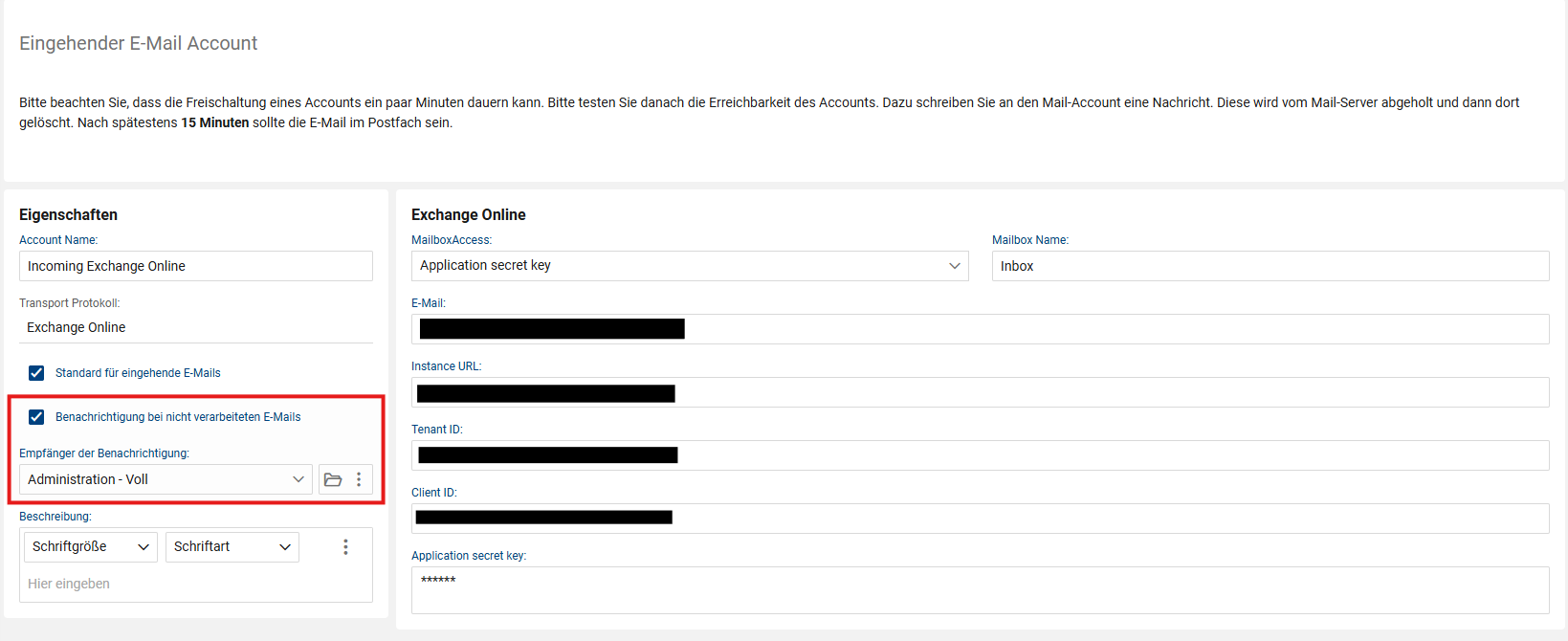
Notification settings for unprocessed emails

Notification for an unprocessed email
E-Mail Rules - New Processing Mode “Keep in inbox only”
Use Case
Not every incoming email should automatically be processed into a ticket. Specific senders should be excluded from automatic ticket creation without having to disable general automatic email processing.
Implementation
E-Mail rules have been extended with the new processing mode “Keep in inbox only”.
Two processing modes are now available within an e-mail rule:
•Create ticket
•Keep in inbox only
For the new processing mode, one or more e-mail addresses or character strings can be configured. If the sender address of an incoming e-mail contains one of the configured entries, no ticket is created automatically.
The e-mail is - where possible - assigned to a reporting person and then remains in the inbox for manual processing. From there, it can still be assigned to an existing ticket or used to create a new ticket with or without a ticket template.
Existing e-mail rules continue to use the “Create ticket” processing mode by default. Existing configurations therefore do not need to be adjusted.
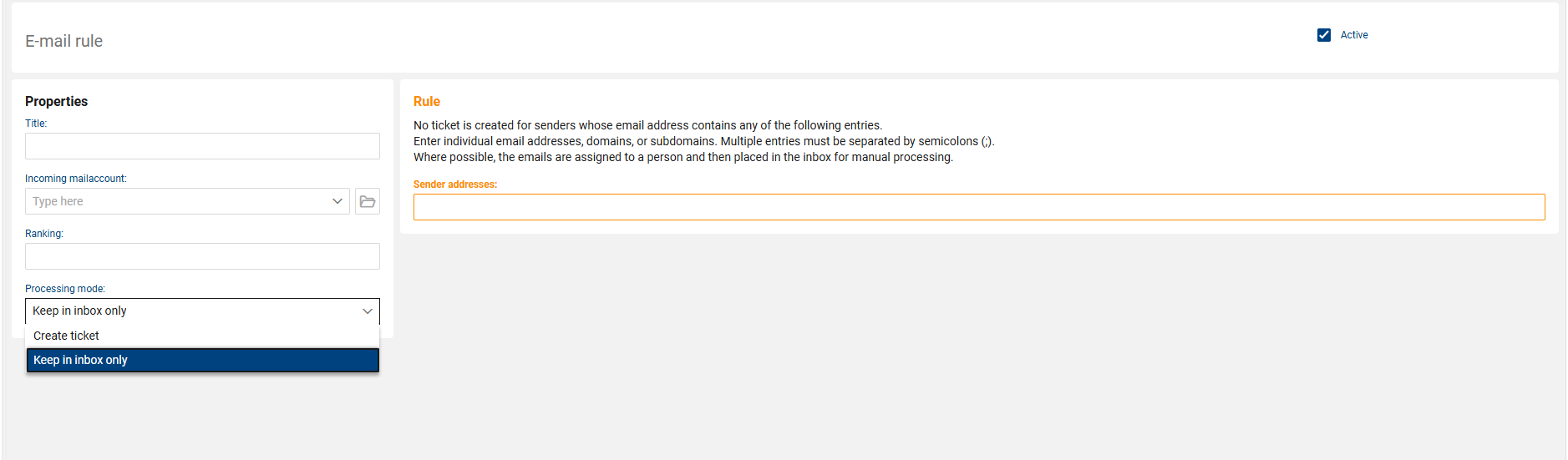
E-Mail rule with processing mode “Keep in inbox only”
Improved “Link Person” Function in the E-Mail Inbox
Use Case
When manually processing incoming e-mails, the assignment of a reporting person should be unambiguous, and the user should be informed accordingly if an assignment is not unique.
Implementation
The “Link person” function in the e-mail inbox has been extended.
When searching based on the sender address, only active persons are now considered.
In addition, messages have been added for different processing situations. The user now receives a corresponding message when:
•no person with the sender address was found,
•multiple persons with the same sender address were found, or
•exactly one person was not selected when a manual selection was required.
The messages explain the respective situation and indicate the required user action.
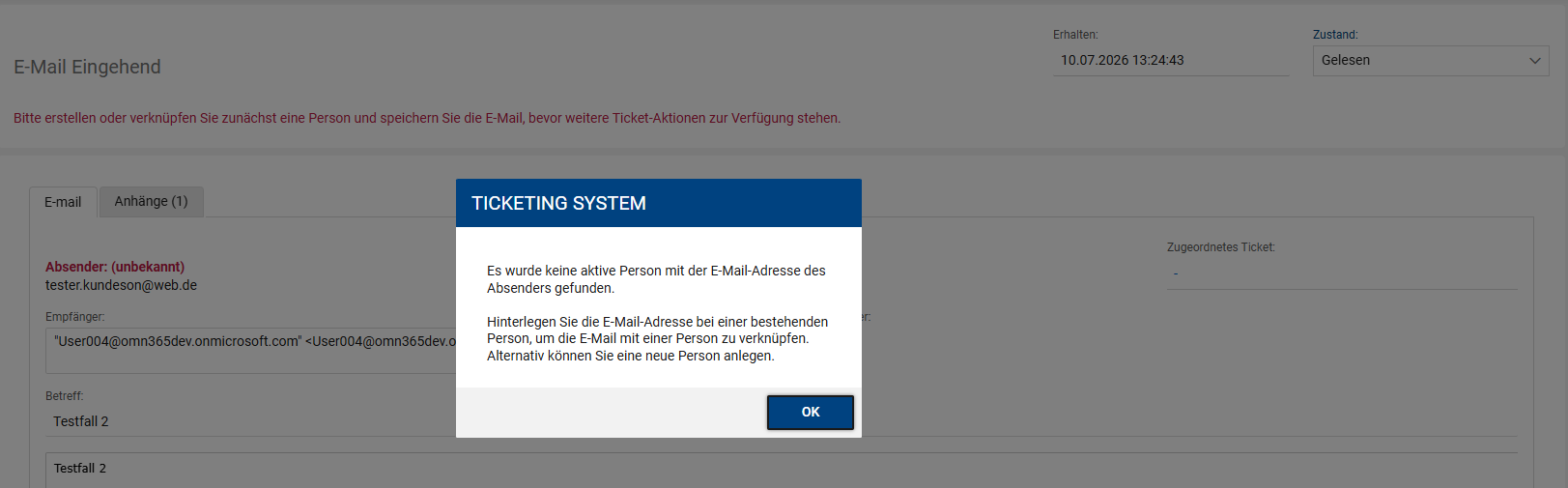
Message when no person was found
Revised Ticket Form Configuration
Use Case
The settings within the ticket form administration should make it clearer which area of the user interface an option affects.
Implementation
The administration tile for the ticket form has been restructured. The available settings are now divided into separate areas according to their scope:
•User form
•Ticket actions (shortcut bar)
•Self-Service Portal
This makes it clearer which settings exclusively control actions within the shortcut bar and which affect other areas of the ticket form.
In particular, this clarifies that settings for ticket actions in the shortcut bar do not, for example, affect the visibility of the “Tasks” tab.
Timestamp for the AD Integration Settings Token
Use Case
Administrators should be able to see when the currently stored settings token for the AD integration was last generated or updated.
Implementation
The AD integration administration has been extended with the “Last Change Settings Token” field.
When a new settings token is generated, the current date and time are stored automatically. The field is displayed directly below the settings token, provided that a settings token and a corresponding timestamp are available.
This makes it possible to see directly in the administration when the currently used settings token was last generated.
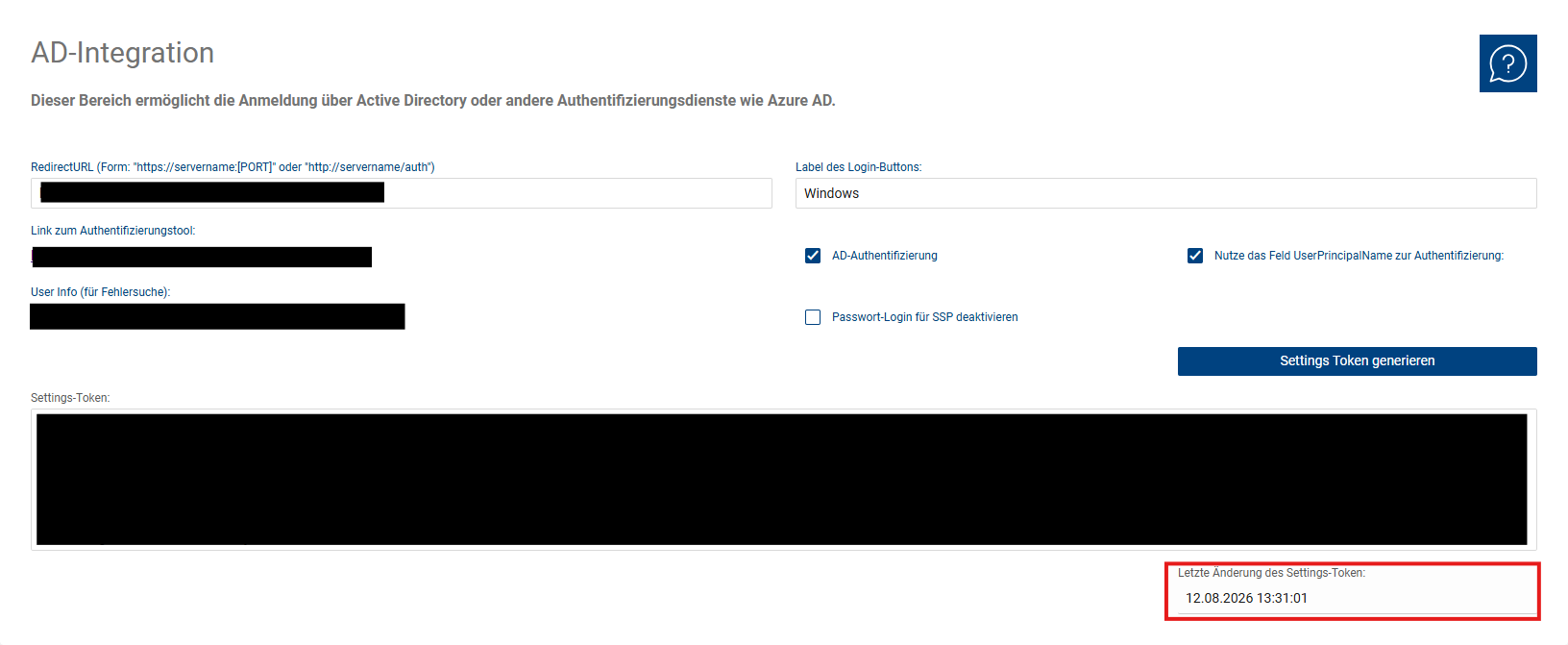
AD Integration with Settings Token and Timestamp
Bug Fixes
Questionnaire Answers Within Approvals
Problem
In certain configurations, approvers could not view the questionnaire answers associated with a ticket in the Self-Service Portal or Authorization Portal.
This particularly affected cases in which the current user was neither the affected person of the ticket nor the person who had completed the questionnaire.
Fix
The access check has been extended. Approvers of a questionnaire-related approval referenced in the ticket can now also view the associated questionnaire answers.
This makes the questionnaire information required for their decision available to the approvers.
The change affects only the corresponding processes in the Self-Service Portal or Authorization Portal.
Locations - Top-Level Organizational Unit
Problem
When a location was created, the top-level organizational unit was not a mandatory field. If a location was created without a corresponding assignment, the top-level organizational unit could no longer be changed afterwards.
This could result in locations that were not clearly assigned to a top-level organizational unit.
Fix
The “Top-Level Organizational Unit” field can now be changed afterwards by users with the appropriate write permissions.
The selection has also been restricted so that only valid top-level organizational units can be selected that match the organizational units already assigned to the location.
If the assigned organizational units change and the previous top-level organizational unit is therefore no longer valid, the existing assignment is removed automatically.
Technical and Structural Optimizations
As part of the release, various internal structures were also cleaned up and existing processing mechanisms were simplified. These changes have no, or no significant, direct impact on the operation of the system.
Among other things:
•the internal workflow state and progress logic was consolidated and mechanisms that are no longer required were removed,
•the reserved space for the actions actually available in the ticket form icon bar was adjusted,
•fields that are no longer required were removed from the Export Wizard,
•fields that are no longer required were removed from the Import Wizard and the structures used there were cleaned up,
•duplicate folder aliases in the self-help instructions area were cleaned up, and
•obsolete field assignments in the ticket area were reviewed and cleaned up.