In this section, you manage the asset types used to organize and distinguish entries in the AssetDB or CMDB according to their business context. Asset types are used to uniformly represent different types of objects—such as IT devices, software, products, services, endpoints, or other configuration items—within the system and to assign them the appropriate properties.
At the same time, asset types determine which type-specific attributes are available for an asset and in which functional contexts a type can be used. In this way, they form the basis for the structured management of assets and configuration items within the Asset Management Database.
The Asset Management Database manages assets, configuration items, endpoints, products, services, IT devices, and software, including their attributes, lifecycles, and relationships. Administrators can add new asset types and associated attributes.
Additionally, an asset type can be configured for use in inventory processes. In this case, assets of this type can be maintained with the status “Inventory” and managed by asset type in the asset inventory.
The asset inventory contains all assets with the status “Inventory” and is grouped by asset type by default. This allows inventories to be clearly recorded and monitored by asset type.
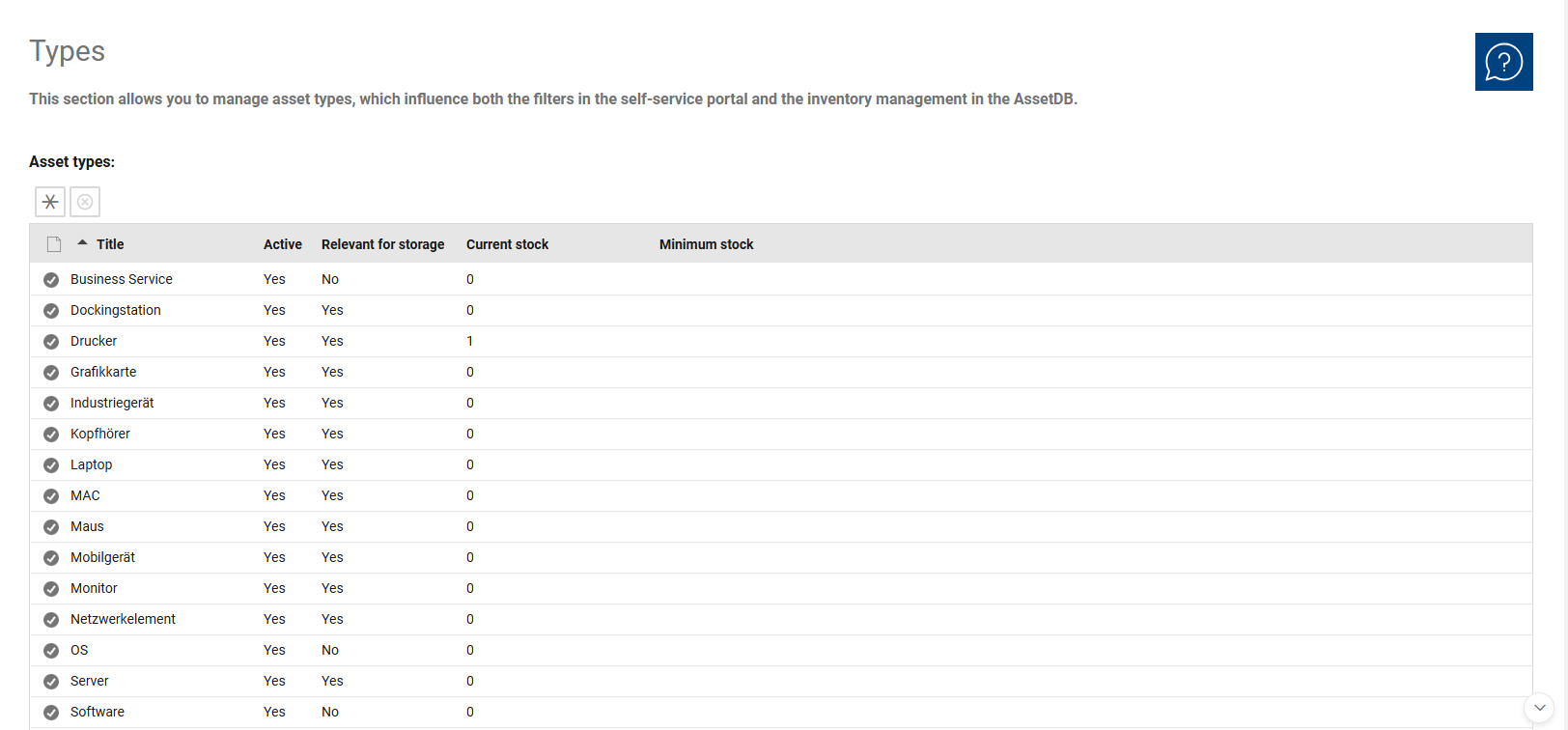
The Asset Types overview is used for the centralized management of all existing types. Here, you can review existing asset types, open them for further editing, and create new types.
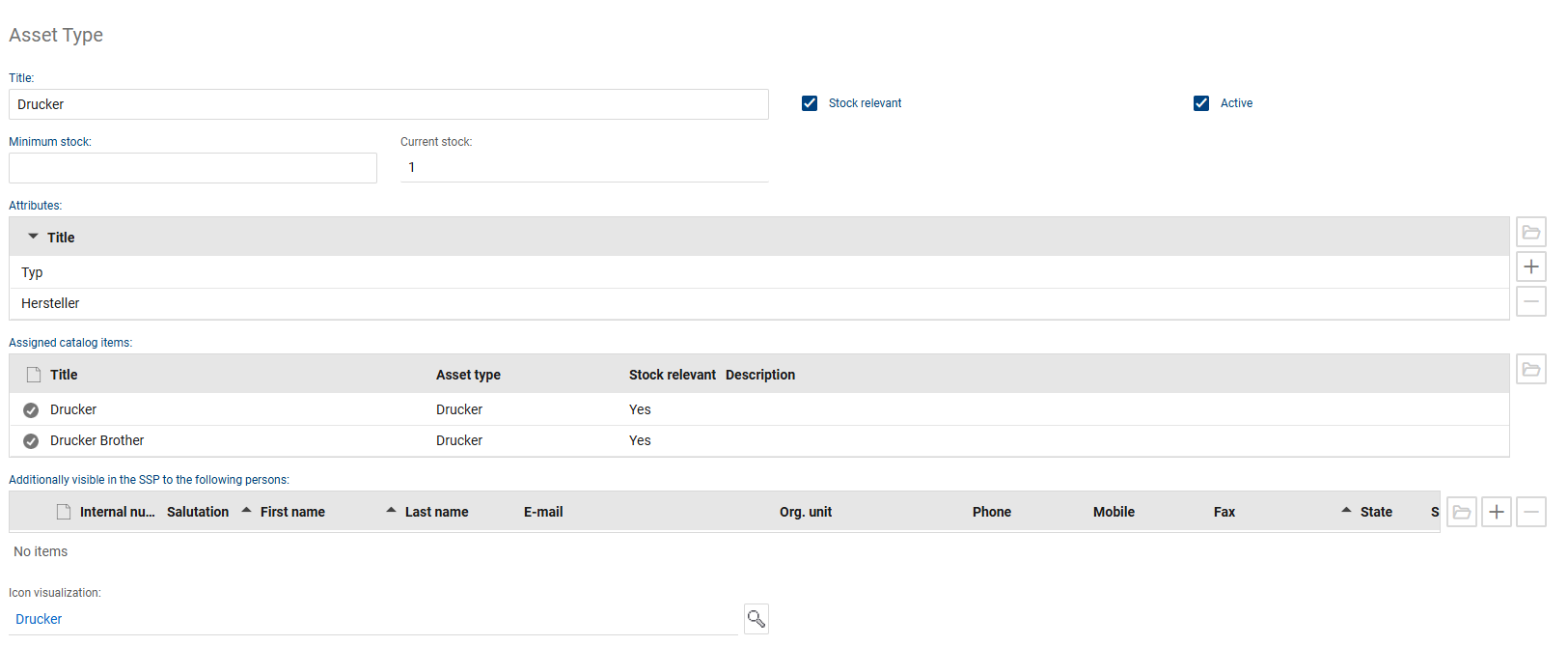
In the detail view, you can maintain the properties of an asset type and adapt them to business or organizational requirements as needed. This allows you to control which attributes are available for an asset type and in which areas the type can be used.
The following fields and functions are available for each asset type:
•Title: Specifies the name of the asset type.
•Active: Controls whether the asset type can be used in the system.
•Inventory-relevant: Specifies whether the asset type is included in inventory management. If this option is enabled, assets of this type can be tracked in the “Inventory” status and managed by asset type in the asset inventory.
•Current Inventory: Shows how many assets of this type are currently in stock.
•Minimum Inventory: Defines the minimum quantity that should be available for this type. If the inventory falls below this value, a notification is automatically sent to the responsible group.
•Assigned Catalog Items: Shows which catalog items are assigned to this asset type and can be linked to it. For inventory-relevant types, inventory levels from the asset warehouse can optionally be accessed for warehouse items.
•Attributes: Used to describe additional type-specific characteristics. Any attributes can be defined for each asset type to represent detailed information about that type.
If new standard attributes are added to an asset type, they can be applied to existing assets via an attribute update. New attributes can only be added by the administrator of the asset management database.