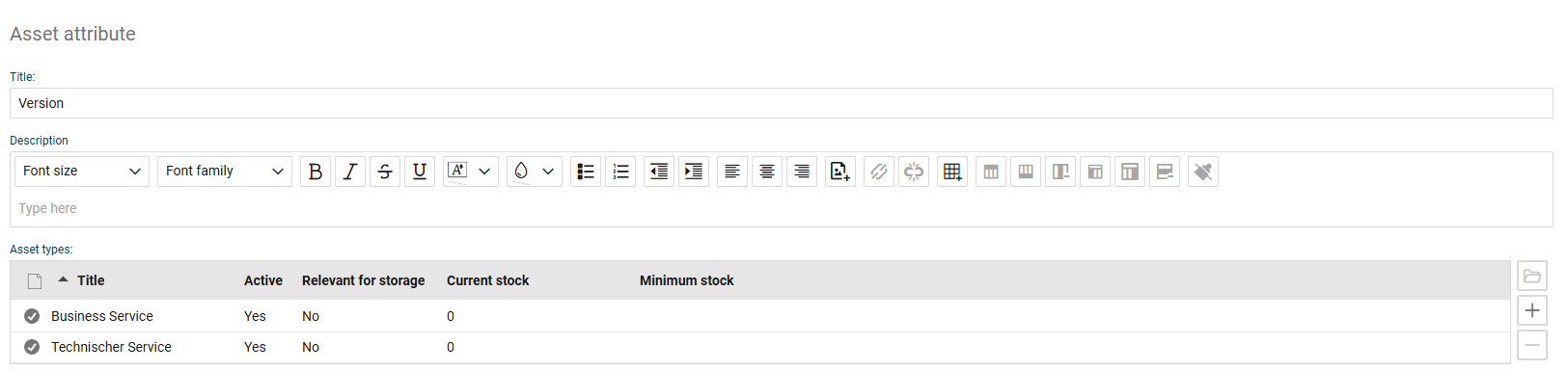
In this section, you manage asset attributes and assign them to the appropriate asset types. Attributes are used to map additional properties of an asset type in a structured manner, so that assets can later be described in a consistent and comprehensive way.
Different attributes can be used for each asset type, for example, for technical, organizational, or functional descriptions. The defined attributes are available in the associated assets in the “Properties” section as individual attribute lists with the corresponding values. This allows assets and configuration items to be managed flexibly and with full control over their content.
Attribute values can be maintained manually in the respective assets. If new default attributes are added to an asset type, these can be applied to existing assets via the attribute update function. New attributes themselves can only be added administratively.
Changes to attributes are documented in the change history of the respective asset. This includes, in particular, the addition and modification of an attribute. This ensures that it remains traceable how the asset information has changed over time.
Attribute values can be entered manually or imported. Separate import sections are available for attributes and attribute values. After the import, the system displays an error log. For imports that build on one another, the correct order must be followed.
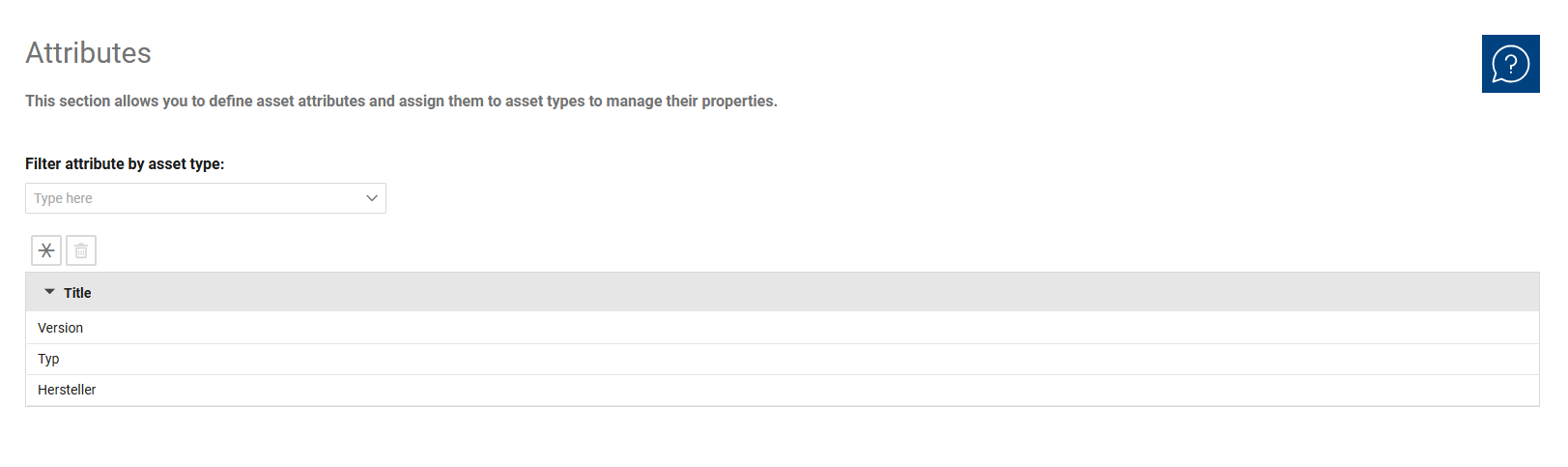
The overview is used for the centralized management of asset attributes. Using the “Asset Type” filter, you can narrow the display to a specific asset type and view the corresponding attributes. This allows you to review, maintain, and, if necessary, extend attributes on a type-specific basis.
In the detail view, you can edit an attribute and specify the asset types for which it can be used. This assignment determines in which assets the attribute will later be available as an attribute value in the “Properties” section.
This allows assets of the same type to be described uniformly and, if necessary, flexibly supplemented with additional information.
The following fields and functions are available for each attribute:
•Title: Specifies the name of the attribute.
•Description: Provides a detailed explanation of the attribute’s usage and technical purpose.
•Asset Types: Specify the asset type(s) for which the attribute is available. This assignment determines in which assets the attribute will later appear in the attribute/value list. Since asset types and associated attributes can be managed flexibly, this assignment forms the basis for the type-based structuring of asset data.