In this section, you can make asset types available as items and packages for the self-service catalog. This allows defined products, services, or service offerings to be managed in a structured manner within the catalog and made available to end users.
Individual asset types can be used as standalone items. Multiple related items can also be bundled into a package. In this way, recurring requirements can be standardized and made available as fixed catalog entries.
The service catalog serves to present offerings in a clear and consistent manner. This simplifies the selection, request, and provision of standardized services.
Items can be supplemented with additional information such as descriptions and images to make the content and purpose of an offering more easily understandable. Packages are used to provide multiple related items as a single service. This is particularly suitable for services or products that are frequently required or provided together.
End users can request items and packages in the Self-Service Portal using the “Request” ticket type. Additionally, catalog entries can be maintained in multiple languages.
For an item or package to be visible to end users in the catalog, certain requirements must be met. An item must have a price assigned to it, and a package must have a total price. In addition, the respective price must be assigned to the end user’s organization. Furthermore, the entry must be marked as “Active.” Only when these conditions are met will the entry be displayed in the self-service catalog.
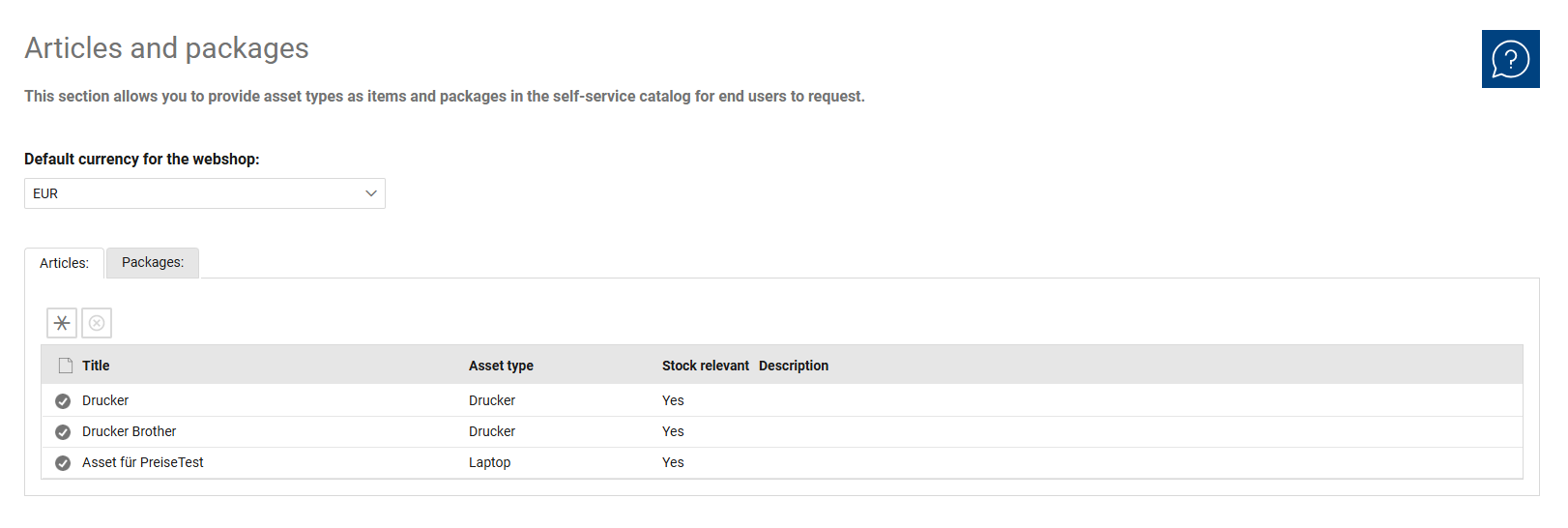
The overview list is used for the centralized management of all catalog entries. Use the “Items” and “Packages” tabs to switch between managing individual items and bundled packages.
The list displays the most important information about the existing entries. This allows you to quickly categorize and review existing items and packages and open them for further editing.
Additionally, the default currency for the web store is displayed above the list. The overview thus supports both the maintenance of catalog entries and the quick review of existing items and their basic assignments.
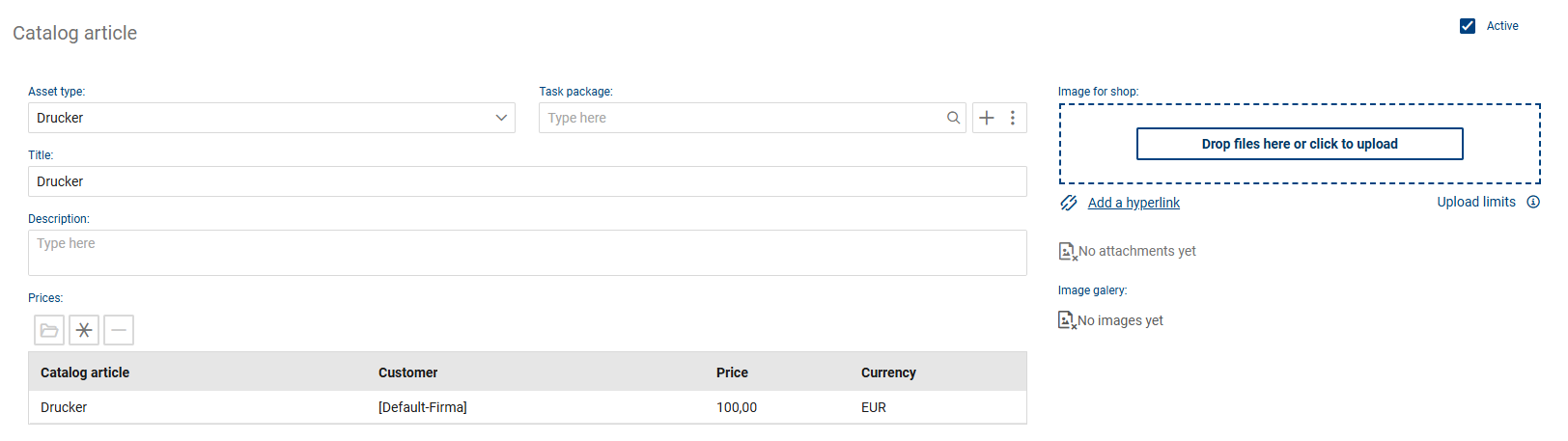
In the detailed view of an item, you can edit the additional content information for the open catalog entry. Here, you enter the details used for displaying and describing the item in the catalog.
The following fields and functions are available for each item:
•Asset Type: Displays the asset type on which the catalog item is based.
•Task Package: Used to assign a task package to the item.
•Title: Defines the name of the item and serves to uniquely identify the catalog entry.
•Description: Contains a detailed description of the item and supplements the title with additional information about the entry. For items, the title and description are part of the translatable content.
•Active: Indicates whether the item is active. Only active entries can be included in the catalog.
•Image for Shop: Used to assign an image for displaying the item in the shop.
•Prices: This section manages the prices assigned to the item. An item must be assigned a price to be visible in the catalog. This section manages the prices assigned to an item and is used for price-related control of the catalog entry.
•Technical Specifications: Contains additional technical or product-specific information about the item. This field can be used to describe the offered item in more detail.
•Image Gallery: Used to assign images to the item. Images help provide a more vivid presentation in the catalog.
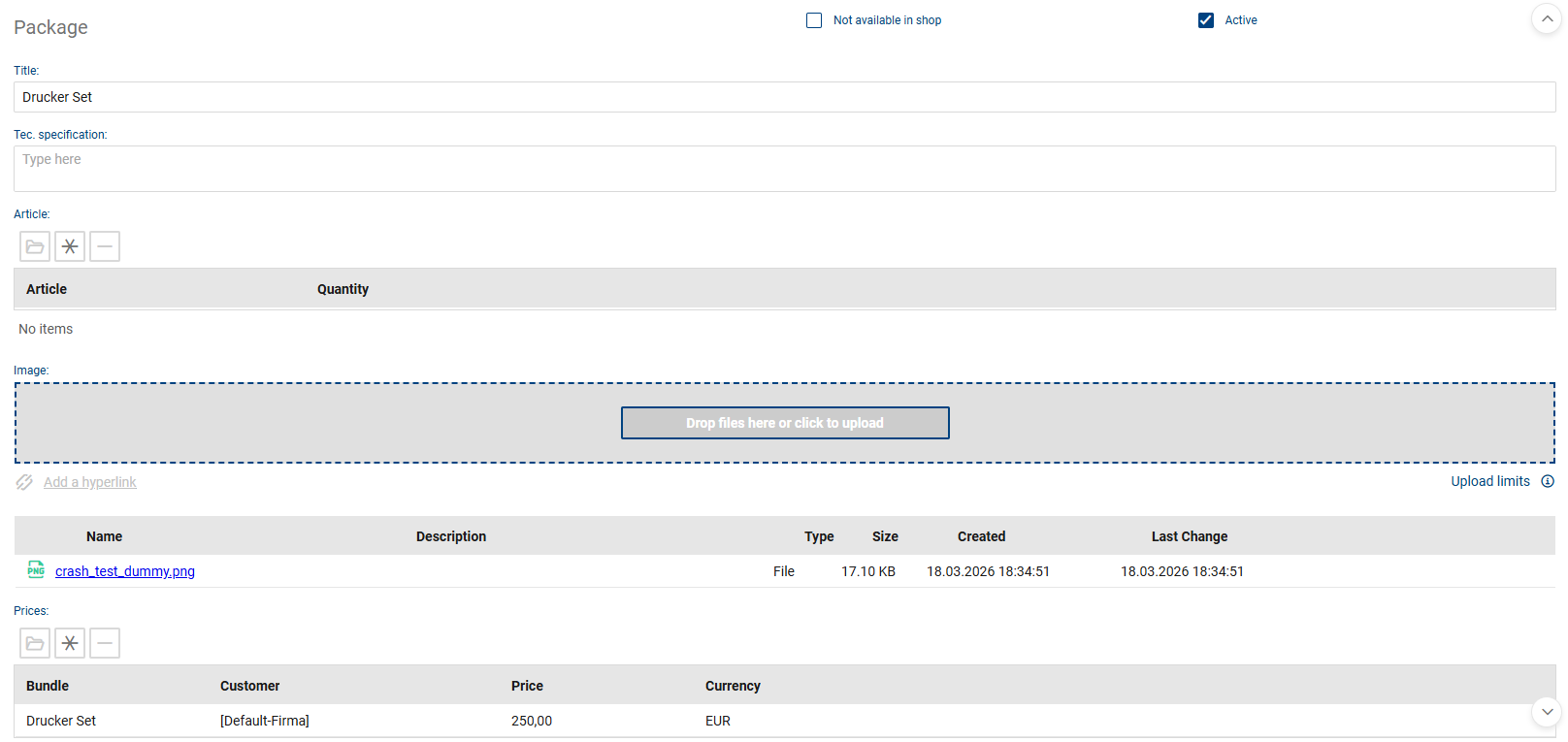
In the detailed view of a package, you can edit the details of the open package, as well as the items it contains and their pricing information. Packages group together several related items into a single service. For packages, the title and technical specifications are among the translatable content.
The following fields and functions are available for each package:
•Title: Sets the name of the package and serves to uniquely identify the catalog entry.
•Not available for order in the shop: Indicates that the package cannot be ordered in the shop.
•Active: Indicates whether the package is active. Only active entries can be included in the catalog.
•Technical Specifications: Contains additional technical or specialized information about the package.
•Items: This section manages the items assigned to a package in order to present related services as a single offer.
•Image: Used to assign an image for displaying the package.
•Prices: This section manages the prices assigned to the package. A total price must be assigned to a package for it to be visible in the catalog.