In this section, you manage the integration of the baramundi Management Suite (bMS) within OMNITRACKER. This functional area serves as the interface between the ITSM process and the technical client management layer by enabling access to automated workflows such as software deployments, operating system installations, and inventory scans.
Centralized management ensures that all available jobs are listed transparently and that their execution history remains fully traceable for a period of 14 days. This helps administrators monitor the success of technical measures directly within the context of ticket processing without having to switch systems.
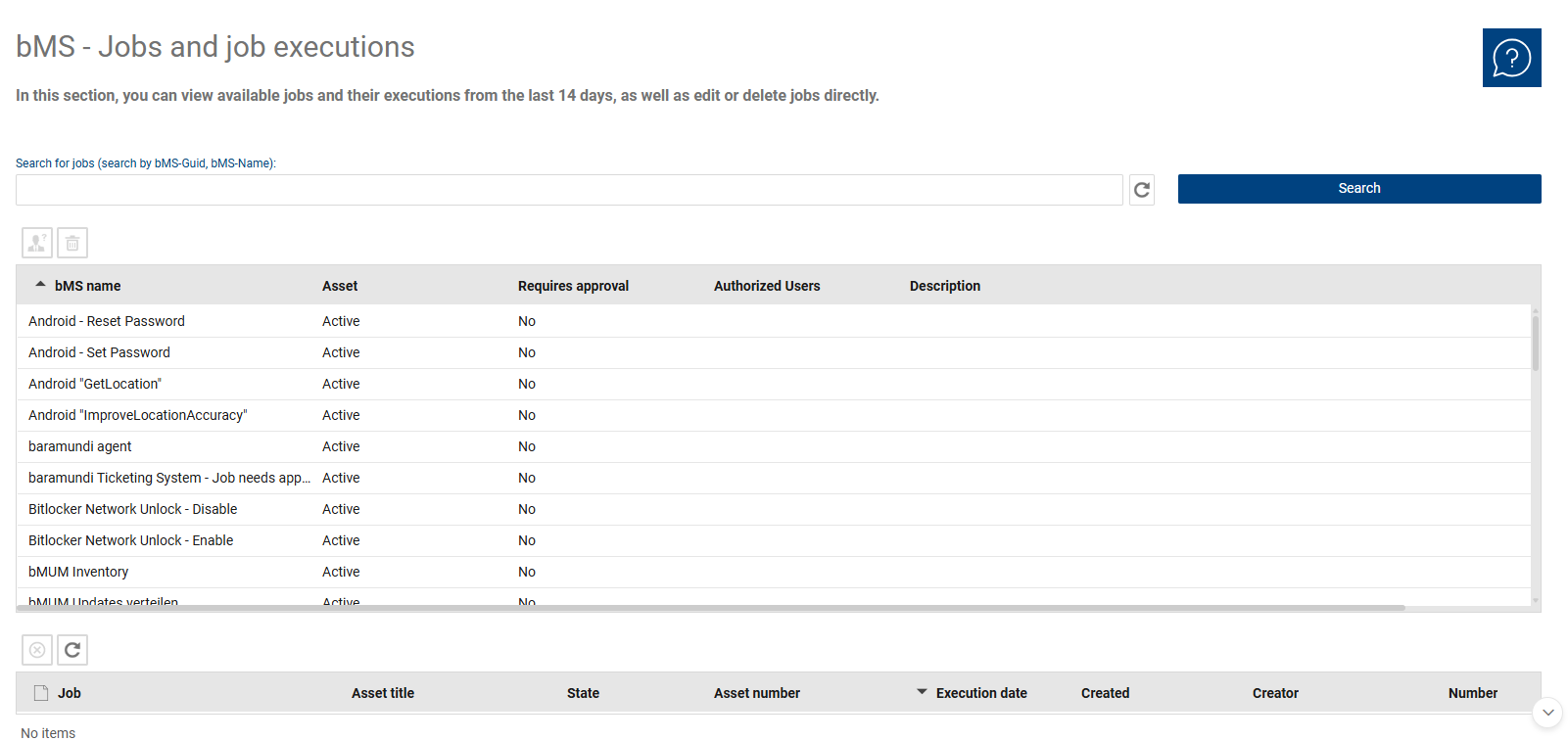
The overview is divided into a list of available bMS jobs and a list of associated job executions. The job list is used to manage the bMS jobs that have been made available. The overview helps you quickly check which jobs are available and whether there are any specific requirements—such as approval or authorization—that must be met before using them. The list of job executions documents the executions initiated over the past 14 days and facilitates their tracking. This allows you to determine which job was executed for which asset and the current status of the execution.
Table “Job executions”:
•Job: Name of the bMS job that was executed.
•Asset Title: Name of the target asset on which the job was executed.
•Status: Current status of the execution (e.g., successful, failed, scheduled).
•Asset Number: The unique number of the asset in question in the system.
•Execution: Identifier for the specific execution process.
•Created: Time at which the execution was started.
•Creator: The user who initiated the job execution.
•Number: Unique ID of the job execution for internal reference.
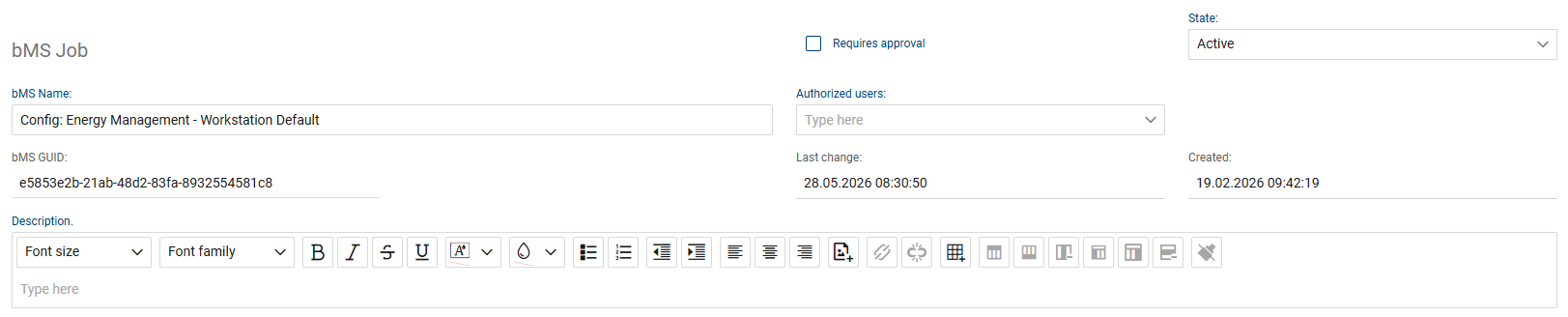
The detail view of a bMS job is used to define the key properties required for its use. Among other things, the job’s name, status, approval requirements, permissions, GUID, and description are maintained here. This allows you to control whether a job is generally available, may only be used by specific users, or requires approval before execution. The description field can be used to enter additional notes about the respective job.
The following fields and functions are available for each bMS job:
•bMS Name: Contains the official name of the job as imported from the baramundi Management Suite.
•Status: Indicates whether the job is available for selection in tickets (e.g., “Active”).
•Requires Approval: A flag that specifies whether a formal approval process must be completed before this job can be executed.
•GUID: The unique technical identification number of the job from the bMS system, which is used for communication via the gateway.
•Authorized Users: This field defines the users or groups that have the right to execute this specific job.
•Last Modified: Displays the timestamp of the last update to the job configuration.
•Created: Documents the date and time when the job was initially created in the system.
•Description: A detailed text field for documenting the job’s content and purpose.