Classifications are used to centrally manage the names of key classification attributes. In this section, you maintain the values used to classify tickets. These include the attributes “Priority,” “Impact,” “Urgency,” “Request Type,” “Risk,” “Probability,” and “Scope.”
The designations defined here apply uniformly to all ticket types, thereby creating a common basis for the use of these characteristics throughout the system. This ensures that the same classifications are used consistently across the system and do not need to be maintained separately for each ticket type.
This section helps you centrally define the classifications used and adjust them as needed. This facilitates the consistent processing and evaluation of tickets.
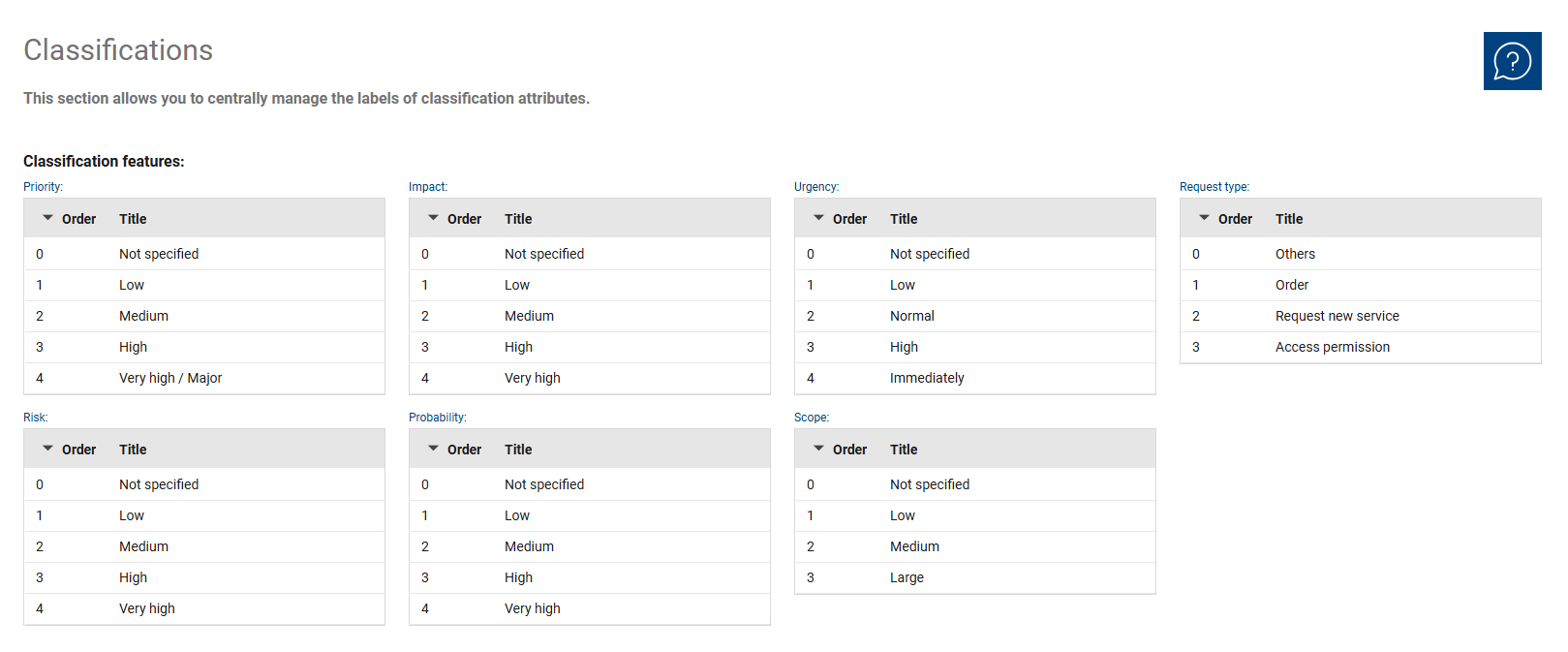
The overview summarizes the existing classification attributes in separate lists. Each classification attribute contains the corresponding labels that can be used to classify tickets later. This allows you to centrally review and manage the values used for each attribute.
The overview is particularly useful for keeping the gradations within a criterion traceable and consistent.
Within the individual classification criteria, you edit the existing entries directly in the respective list. To do this, you maintain the description of an entry in the “Title” field and additionally define the functional gradation via the order.
The sequence starts at “0” as the lowest value. This entry is also used as the default value.
Changes to the descriptions always apply uniformly to all ticket types and should therefore be made with particular care.
The following classification criteria are available:
•Priority: Here you manage the labels for the priority levels. These values are used to classify tickets based on their importance.
•Impact: Here you maintain the labels for the impact levels. These describe the extent to which a ticket has a technical or organizational impact.
•Urgency: Here you define the labels for the urgency levels. These values help determine how promptly a ticket should be addressed.
•Request Type: Here you manage the labels for different types of requests. This allows for consistent differentiation between various request types.
•Risk: Here you maintain the labels for the risk levels. These values are used for the consistent assessment of a risk.
•Probability: Here you define the labels for the probability levels. This allows the probability of occurrence to be classified consistently.
•Scope: Here you manage the labels for the scope levels. These values are used to classify the scope of an issue consistently.