Questionnaires are used to collect additional information about a ticket in a structured manner and to query it consistently. They support ticket creation and subsequent processing by providing information required for a specific process or ticket type. This allows recurring queries to be standardized and documented in a traceable manner.
Questionnaires are created and managed centrally in the administration. Depending on the use case, a questionnaire can be used as a standard questionnaire or as a feedback questionnaire. Standard questionnaires support structured data collection during ticket creation or processing. Feedback questionnaires are used to gather feedback after a ticket is closed and to traceably associate this feedback with the ticket context.
A questionnaire can be structured as a simple list of questions or as a branching question tree. A list of questions is suitable for linear surveys in which questions are answered one after another. A question tree can display follow-up questions based on selected answers. This allows for the mapping of guided workflows or decision-making logic. Thus, both simple checklists and more complex surveys can be implemented.
The overview provides you with a summary of the available questionnaires. It summarizes the key characteristics of the questionnaires that have been created. This allows you to quickly locate existing questionnaires, review them, and open them for further editing.
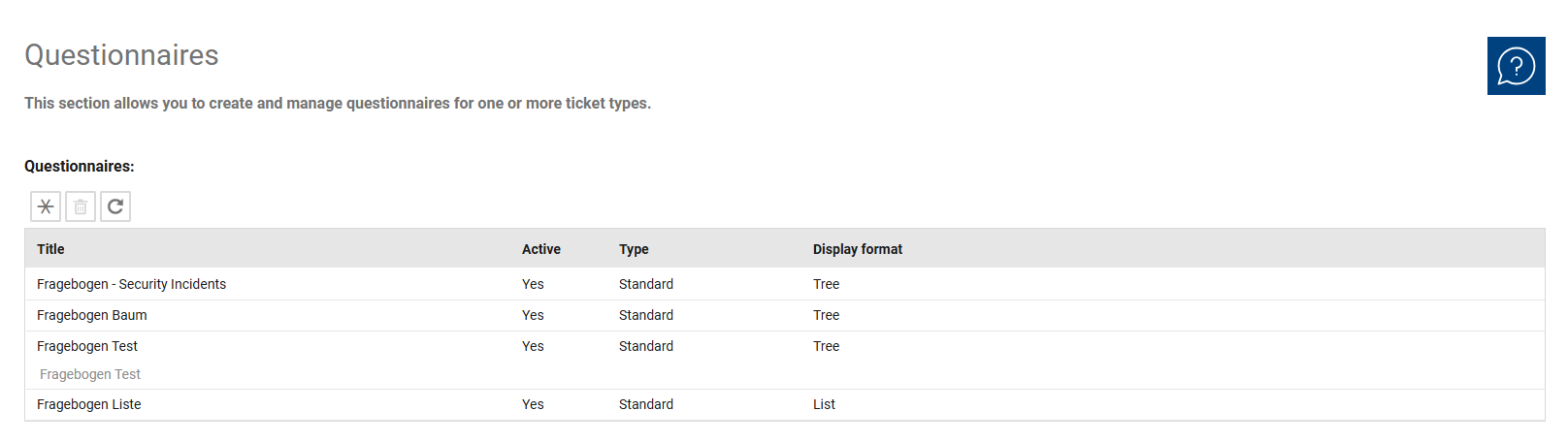
The overview is primarily designed for the centralized management and monitoring of existing questionnaires. It helps you identify which questionnaires are currently available and understand their basic structure. To edit a questionnaire, open the desired entry from the list.
When you open a questionnaire, you are taken to the detail view of the selected entry. There, you can maintain the general properties, define the display format, and manage the questions it contains. For feedback questionnaires, additional settings for distribution and recipients are available. The detail view is thus the central area for maintaining the content and functionality of a questionnaire.
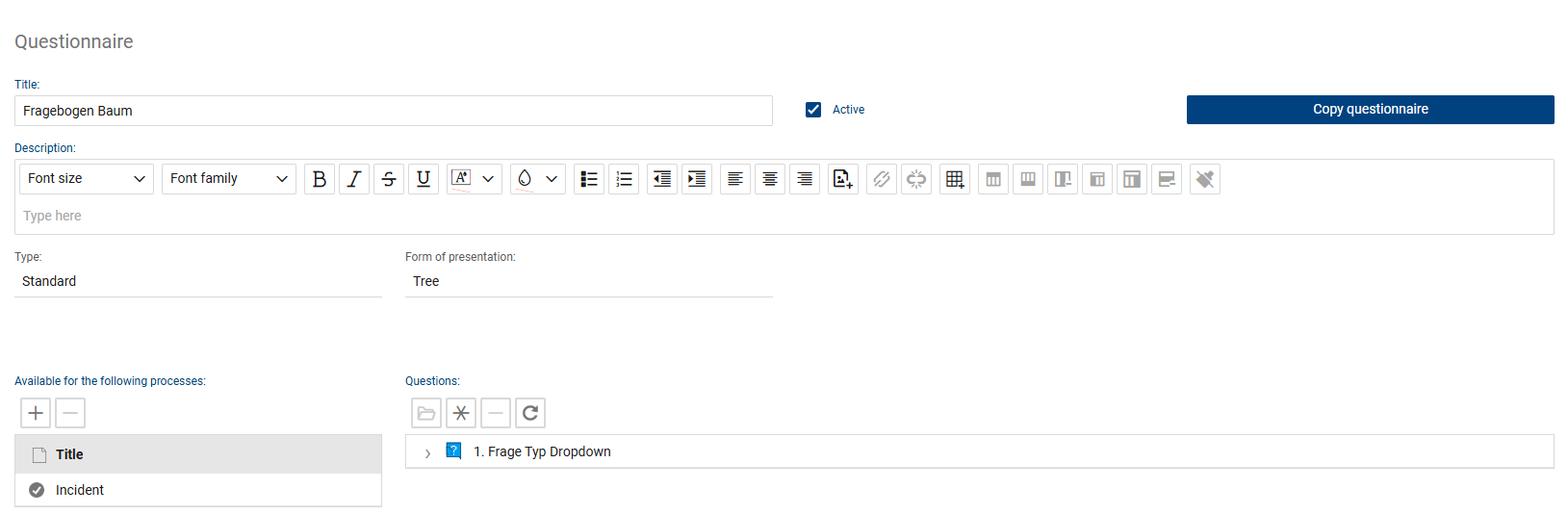
Detailed view: Question tree display
Detailed view: List of questions
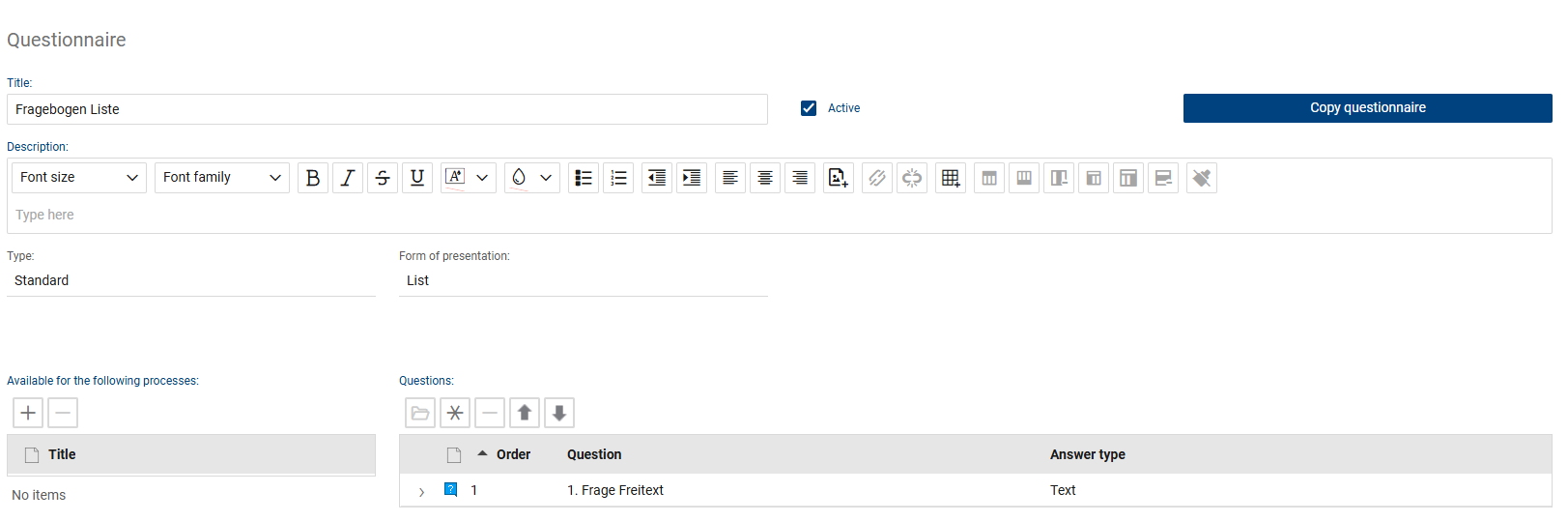
The following fields and functions are available for each questionnaire:
•Title: Here you can edit the name of the questionnaire. The title should be chosen so that the purpose and intended use of the questionnaire are clearly identifiable.
•Active: Determines whether the questionnaire is active and available for use. If a questionnaire is not active, it is not available for regular use.
•Description: You can enter a description of the questionnaire in this field. The description can be used to explain the purpose, content, or intended use of the questionnaire in more detail. You can structure and format the text using the formatting toolbar.
•Type: Specifies the type of questionnaire. A standard questionnaire is used for regular purposes in the context of ticket creation or processing. A feedback questionnaire is used to gather feedback after a ticket has been closed.
•Display Format: Determines the structure of the questionnaire. In a question list, the questions are displayed linearly. In a question tree, additional follow-up questions may be displayed depending on the selected answers.
•Frequency: Determines the interval at which a feedback questionnaire is sent.
•Recipients: Determines the people to whom the feedback questionnaire is sent.
•Recipient Groups: In this section, recipient groups for sending the feedback questionnaire can be defined.
•Questions: This section displays and manages the questions associated with the questionnaire. The list contains the existing questions along with their titles.